

Overview
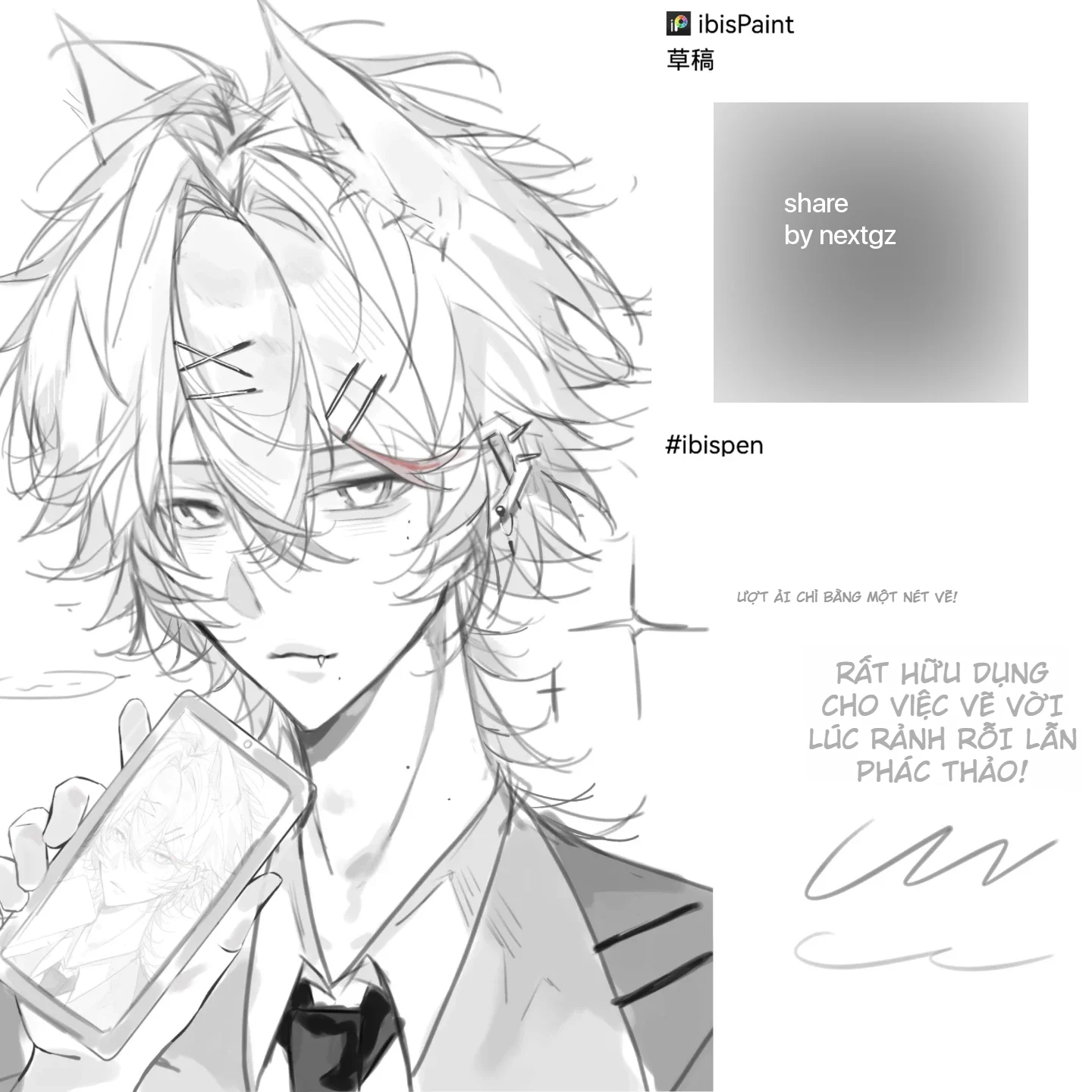
Hello dear fellow artists! Today, I'd like to share an extremely high-quality and completely free Procreate brush set for you to practice drawing and create top-notch artworks. This brush set is specially designed for anime illustration, character design, and digital painting with superior smoothness.
Note: We are sharing the author's original brush set exactly as they shared it; if there's anything extra or missing, it's due to the author's updates, okay?
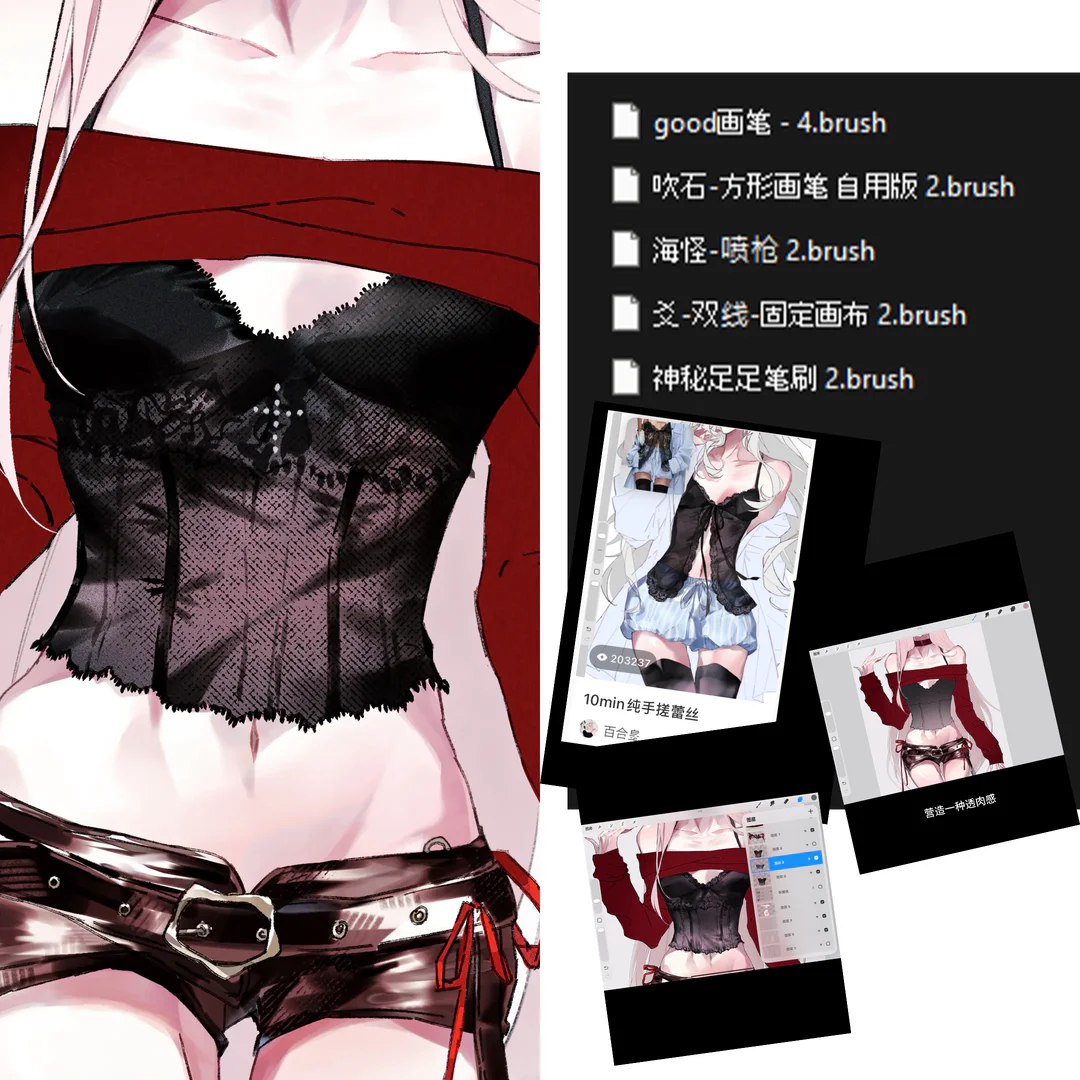
Brush List in the Set
1. Line Art Brushes
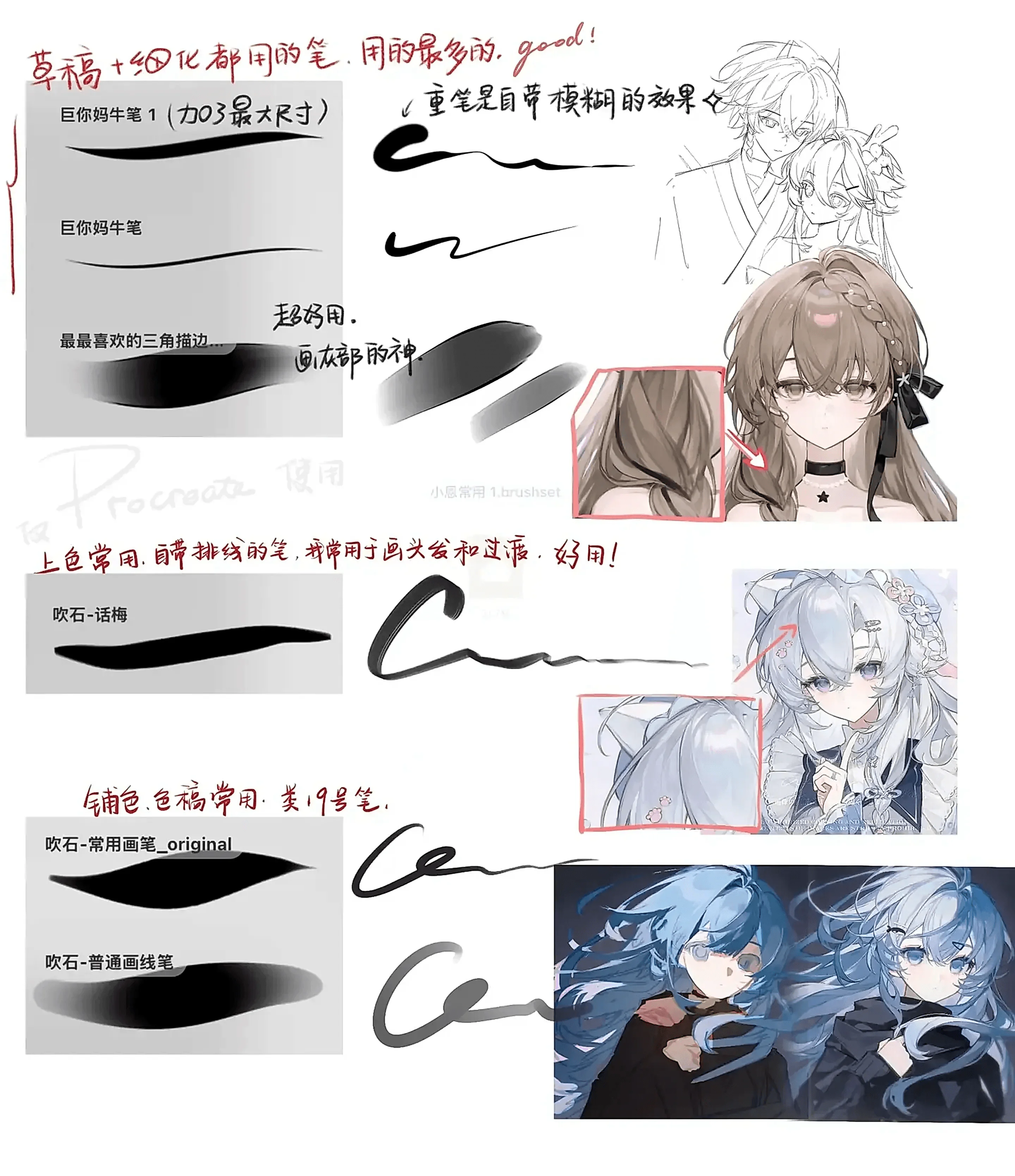
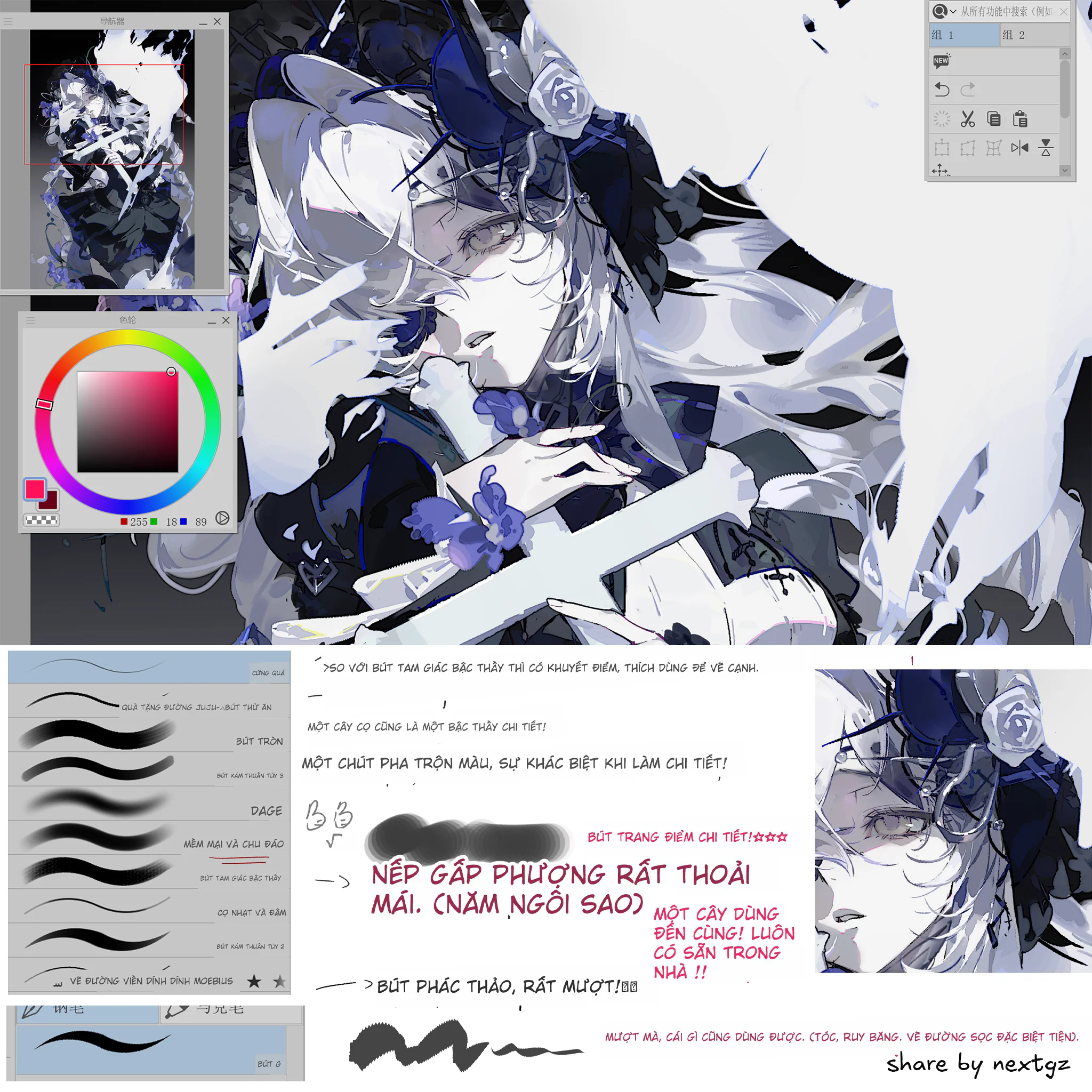
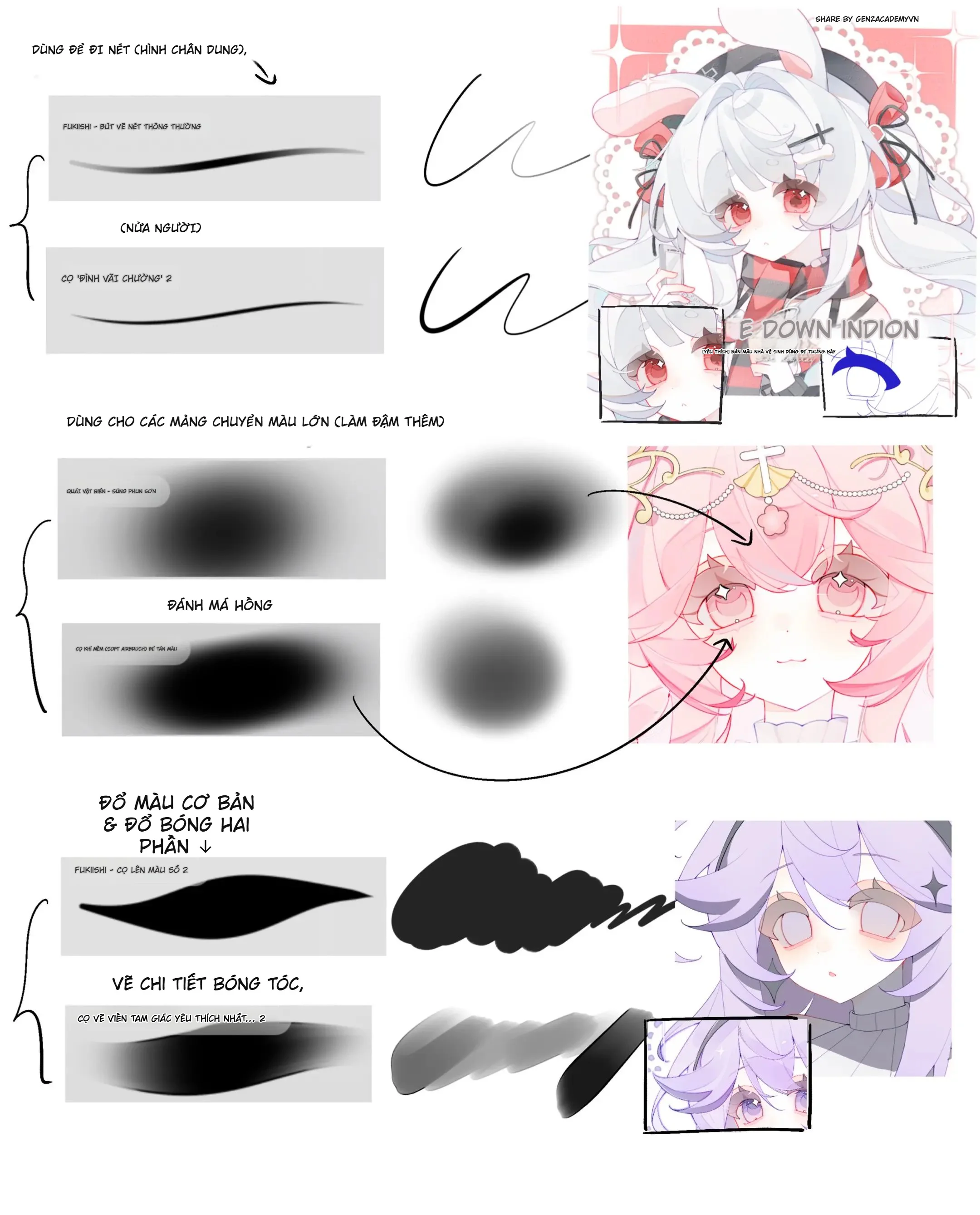
🖌️ Wrinkle Brush
Feature: Creates strokes with natural variation, perfect for drawing fabric, clothing, and texture details
Application: Drawing fabric folds, clothing shadows, wrinkled details on materials
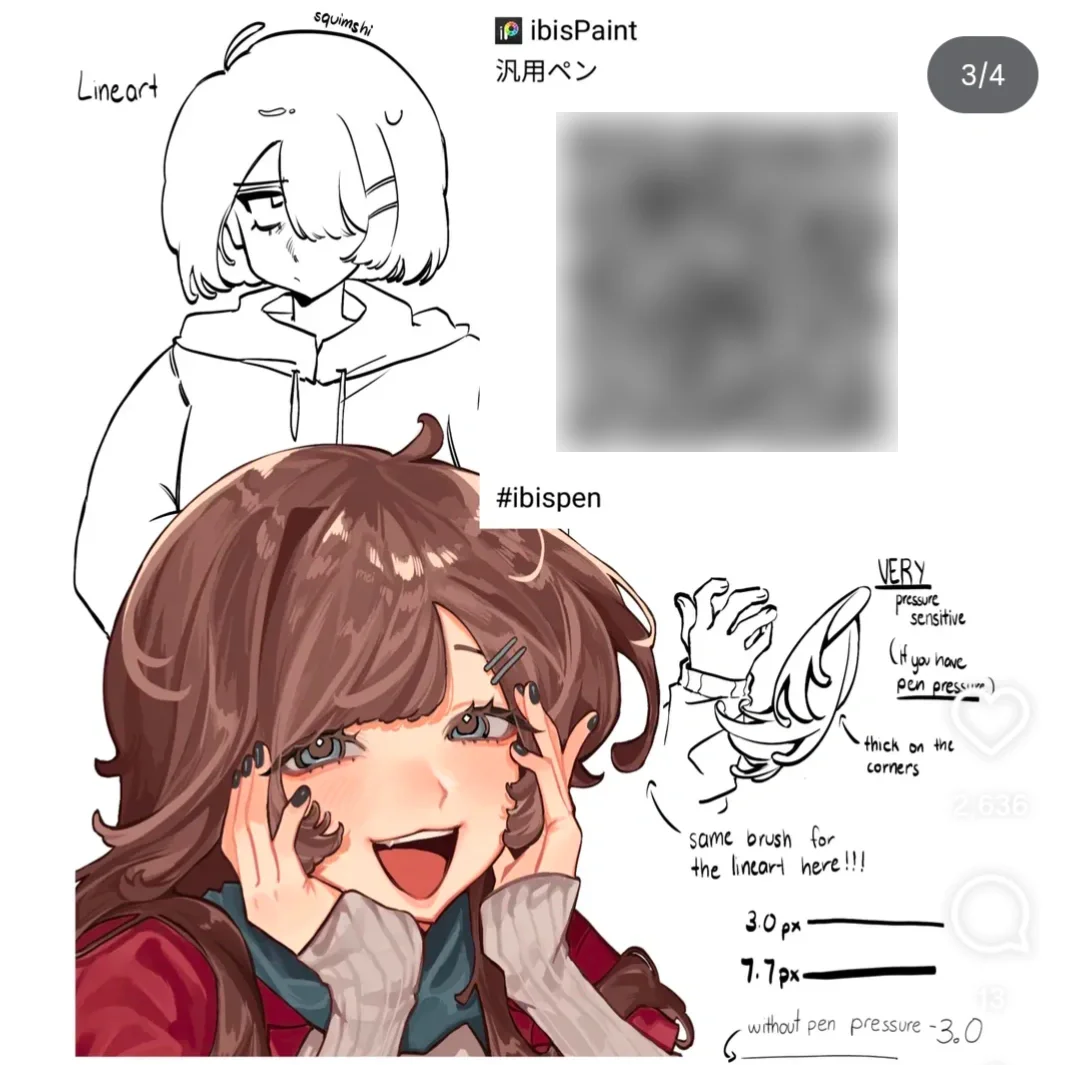
Pressure Sensitivity: High - responds well to pressure sensitivity
Usage Tip: Adjust light pressure for thin strokes, press hard for boldness
🖌️ Smudge Brush
Feature: Super soft strokes, no grain texture, feels like drawing with liquid ink
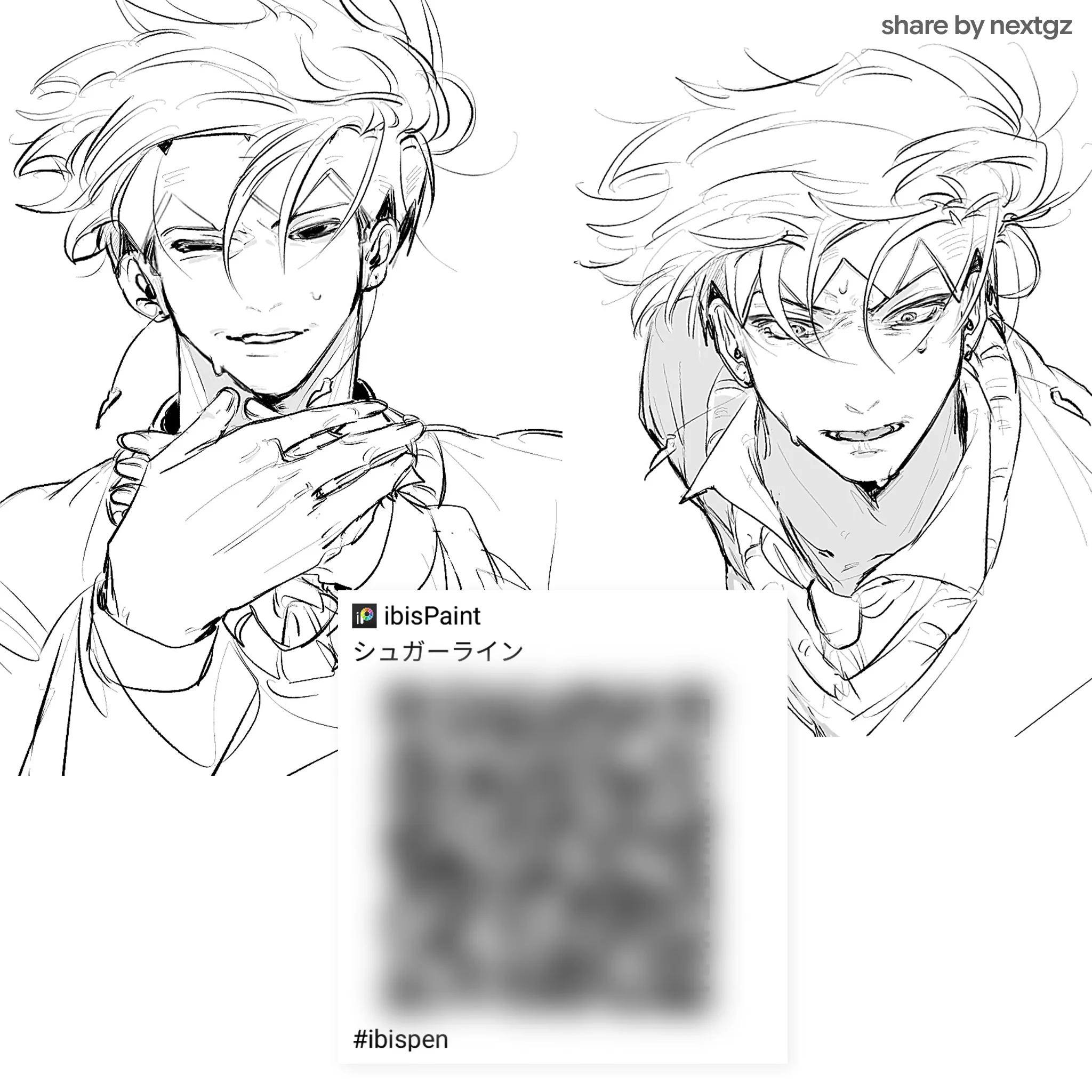
Application: Sharp line art, contour drawing, character outlines
Smoothness: Extremely smooth, no dropped or interrupted strokes
Suitable for: Anime style, clean line art, vector-like illustration
🖌️ Rough Brush
Feature: Has natural grain, simulates the feel of drawing with pencil or charcoal
Application: Quick sketching, hair texture, organic shading
Tip: Excellent for creating a rough, artistic feel for artworks
2. Specialized Brushes
✨ Brush Suitable for Both Sketching and Lining
Feature: The most versatile in the set, can be used for both sketching and inking
Pressure response: Extremely sensitive, allows good control from thin to thick strokes
Use case: Perfect for those who want an all-in-one brush
🔗 Chain Pattern Brush
Feature: Creates continuous chain patterns when dragging the stroke
Application: Drawing jewelry, accessories, costume details
Specialty: No need to draw each link, just drag the stroke for a complete pattern
Setting: 25 continuous links, can scale brush size to adjust size
🎨 CSP Color Blending Brush (Clip Studio Paint Style)
Feature: Simulates the watercolor pen brush of Clip Studio Paint
Texture: Has light grain, creates natural watercolor effects
Application: Soft coloring, natural color blending, smooth gradients
🪨 Bluestone Texture Brush
Feature: Creates detailed bluestone patterns
Grain level: Multiple texture layers, creates a 3D feel
Use case: Background texture, clothing pattern, special effects
3. Coloring Support Brushes
🎯 Giant Mama Brush 1 - Huge Size (703 Max)
Feature: Extremely large brush size for coloring large areas
Application: Base color blocking, background fill, sky gradient
Tip: Perfect for quick background coloring while keeping edges clean
Complete the following requirements to unlock:
🎯 Giant Mama Brush - Standard Version
Feature: Standard version with moderate size
Smooth level: Extremely smooth, no streak marks
Best for: Character base coloring, flat color application
💧 Super Smooth Secondary Brush (Super Smooth Triangle)
Feature: Unique triangular design, creates natural gradients
Blend mode: Prioritized for soft edge blending
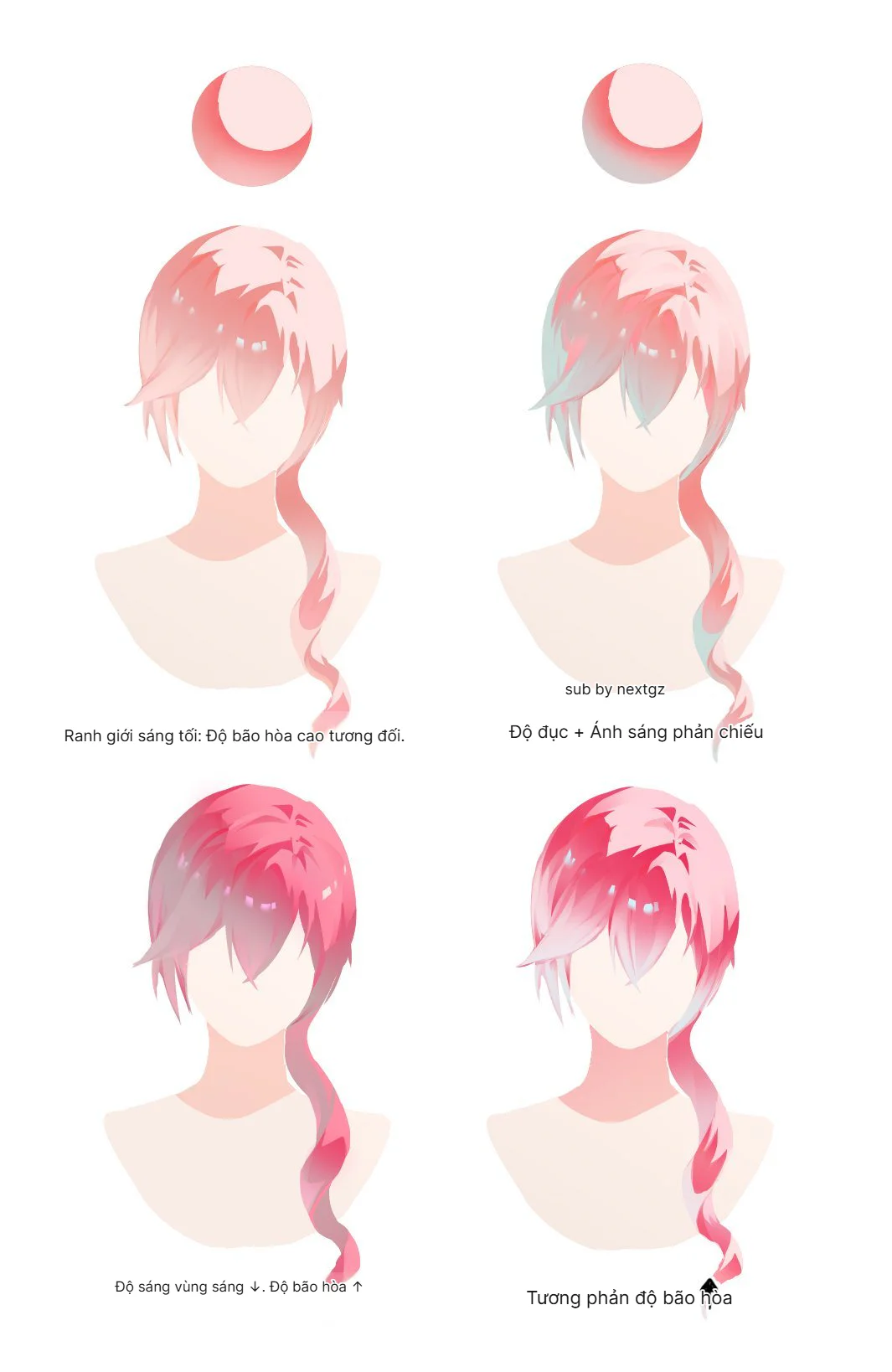
Use case: Hair gradient, skin soft shading, atmospheric effect
4. Detail & Special Brushes
📐 Bluestone Detail Brushes (Detail Series)
Border Pattern: Creates complex costume border patterns
Sharpness: Has texture while maintaining clean edges
Application: Costume design, ornament details, decorative elements
🌊 Auxiliary Coloring Brush
Feature: Used for supplementary coloring, fixing small details
Size range: Flexible, can be scaled down for detail work
Best practice: Used for eye highlights, small accessory coloring
🎨 General Purpose Painting Brush (Multi-purpose Original)
Feature: Versatile painting brush, has natural opacity
Texture: Gentle, not too grainy but still has a painting feel
Perfect for: Semi-realistic illustration, painterly style
🖍️ General Drawing Line Brush
Feature: The most basic line brush, stable and predictable
Use case: Technical drawing, architecture sketch, precise line work
Highlights of the Brush Set
✅ Optimized for Anime & Character Art
All brushes are thoroughly tested with anime illustration
Especially suitable for drawing chibi characters, full-body characters
Clean and sharp line art like professional artists
✅ Perfect Pressure Sensitivity
All brushes respond well to Apple Pencil and pressure-sensitive styluses
Can adjust pressure curve to suit each person's drawing style
Supports from 8,192 to 16,384 levels depending on device
✅ Diverse Applications
From quick sketching to detailed rendering
Suitable for every stage in the drawing process
Has brushes for line art, coloring, shading, and detail work
✅ 100% Free
No cost, no complicated registration required
Download and use immediately
Shared within the Vietnamese artist community
Detailed Installation Guide
Step 1: Download File
Download the .brushset file to your iPad
File is in .brushset format (Procreate brush set format)
Save to the Files app or download directly
Step 2: Import into Procreate
Open the downloaded .brushset file
Select Open in Procreate or Copy to Procreate
Procreate will automatically import the entire brush set
Brushes will appear in your Brush Library
Step 3: Customization (Optional)
Go to Brush Library, select the brush you want to adjust
Tap the settings icon to open Brush Studio
Adjust pressure curve, grain, spacing according to preference
Save the settings
Tips for Using Brushes Effectively
💡 Tip 1: Categorize Brushes by Workflow
Sketch Phase: Use rough brush, pencil-like brush
Line Art Phase: Switch to smooth brush, clean line brush
Coloring Phase: Giant mama brush for base, detail brush for accent
Rendering Phase: Blending brush, texture brush for depth
💡 Tip 2: Adjust Pressure Curve
If you draw lightly: Increase sensitivity, decrease minimum pressure
If you draw heavily: Decrease sensitivity, increase curve slope
Test on a new canvas to find the most suitable setting
💡 Tip 3: Layer Brushes to Create Effects
Combine multiple brushes on different layers
Use blending modes to create depth
Opacity layering for realistic shading
💡 Tip 4: Utilize Special Pattern Brushes
Chain brush: Draw jewelry, accessories quickly
Texture brush: Add detail to clothing without wasting time
One drag stroke equals a complete pattern
Case Study: Drawing a Character with the Brush Set
Project 1: Anime Character Portrait
Brushes used:
Sketch: Rough brush
Line art: Smooth brush (wrinkle for clothing folds)
Base color: Giant mama brush
Hair shading: Blending brush + texture brush
Eye details: Detail brush small size
Final highlights: Clean line brush
Result: Sharp character, professional line art, smooth coloring as in the illustration
Project 2: Full Body Character with Costume Detail
Brushes used:
Outline: Clean smooth brush
Costume pattern: Chain brush for jewelry
Fabric texture: Bluestone texture brush
Hair rendering: Combination of detail + blend brush
Background: Giant mama brush with gradient
Result: Artwork with high detail, diverse textures, professional finish
Comparison with Other Brush Sets
Vs. Default Procreate Brushes
Advantage: Specialized for anime art, better pressure response
Texture: More diverse, many unique patterns
Workflow: Optimized for character illustration
Vs. Premium Paid Brushes
Quality: Equivalent to paid brush sets costing a few dollars
Variety: Complete for the entire workflow from sketch to finish
Value: Completely free compared to paid alternatives
Who is it Suitable For?
✨ Beginner Artists
Easy to use, no complex settings needed
Diverse enough to learn different techniques
Free so you can experiment freely
✨ Intermediate Artists
Professional enough for portfolio work
Special brushes help speed up workflow
Pattern brushes save significant time
✨ Professional Illustrators
Quality backup brush set
Unique texture brushes for special projects
Quick coloring brushes for tight deadlines
✨ Anime/Manga Artists
Specially designed for anime style
Line art brushes perfect for manga inking
Character design optimized
Common Errors & Solutions
❌ Error: Brush not pressure sensitive
Cause: Incorrect settings or stylus not supported
Solution:
Check if Apple Pencil is paired
Go to Brush Studio > Pressure > Enable pressure dynamics
Test again with different pressure levels
❌ Error: Brush lagging or slow
Cause: Canvas size too large, high brush streamline
Solution:
Reduce canvas size to 3000x4000px
Reduce streamline setting in the brush
Close background apps to free up RAM
❌ Error: Cannot import brush
Cause: File corrupt or wrong format
Solution:
Re-download the .brushset file
Ensure you open the file with the Procreate app
Update Procreate to the latest version
Usage Rights & Sharing
✅ Allowed:
Use for personal projects
Create commercial artwork (can sell artworks drawn with this brush)
Share download link




Bình luận
0 bình luận
Đăng nhập để tham gia thảo luận cùng cộng đồng!
Đăng nhập ngayĐang tải bình luận...