10 Codex plugins that turn AI code writing into a real working platform
Bộ plugin giúp Codex điều khiển trình duyệt, làm việc với GitHub, tạo tài liệu, phân tích bảng tính, xây ứng dụng và sản xuất video bằng mã.
10 min read

Bộ plugin giúp Codex điều khiển trình duyệt, làm việc với GitHub, tạo tài liệu, phân tích bảng tính, xây ứng dụng và sản xuất video bằng mã.
1:04 ước tính · Chưa có giọng vi-VN
Codex was once known primarily as a programming assistant that could read repositories, fix bugs, write features, and run commands in a development environment. However, the ways Codex is being used are expanding far beyond the scope of traditional code writing.

When connected to a browser, desktop applications, source code repositories, design tools, documents, and video production systems, Codex can participate in nearly the entire process of turning an idea into a finished product.
A product person can assign Codex to conduct market research, read documentation, create functional specifications, build prototypes, test interfaces, and prepare presentation slides. An AI creator can use it to analyze content data, generate scripts, build landing pages, create videos from templates, and organize all assets within the same workflow.
What drives this change is not just the capability of the AI model. The plugin ecosystem is what helps Codex access the tools, context, and real-world data that the work requires.
In the Codex ecosystem, a plugin is not necessarily just a single utility.
Each plugin can package multiple different components, including skills that guide the AI to perform a specific process, connections to external applications, MCP servers, browser extensions, automation hooks, or recurring task templates.
For example, a plugin working with Google Drive can both provide file access and contain instructions for creating documents, analyzing spreadsheets, and editing slides. The Chrome plugin combines browser control skills with an extension so that Codex can use the user's current login state.
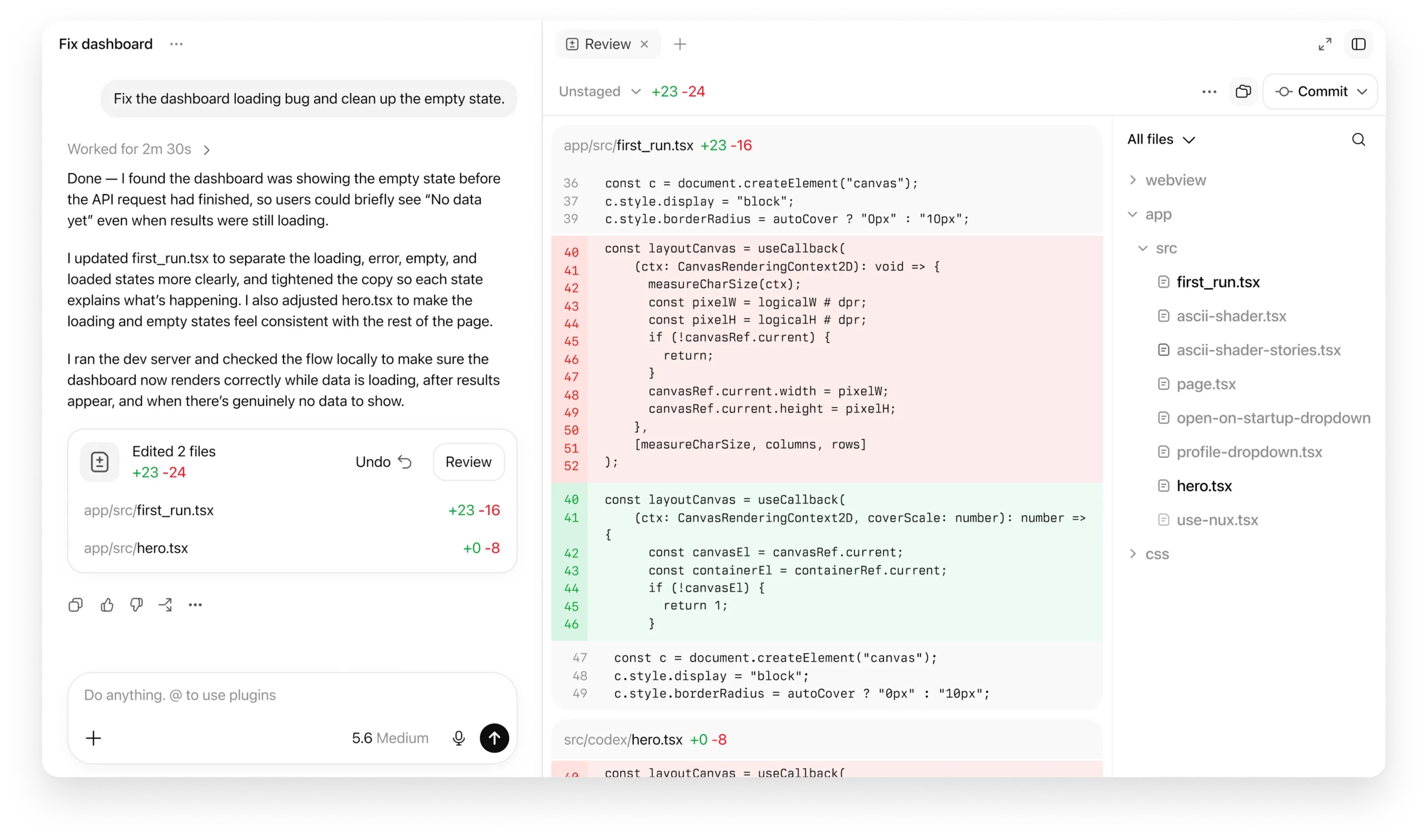
Thanks to this structure, Codex doesn't just receive a question and return text. It can collect data, call tools, create files, check results, and continue adjusting until it produces a usable output.
Below are 10 notable plugins and workflows for developers, product people, operations, marketing, MMO, and AI creators.
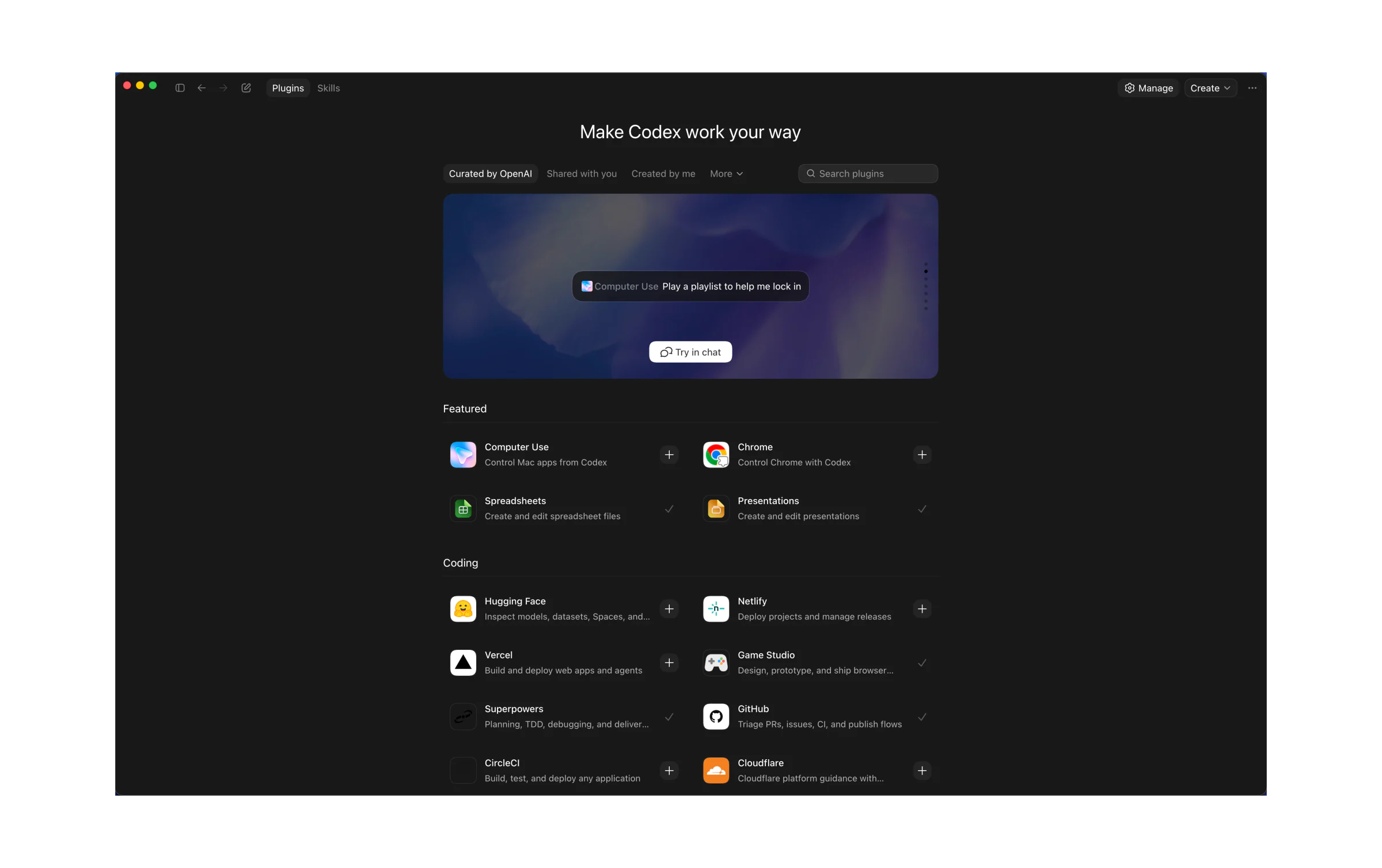
Chrome is one of the most widely applicable plugins because most online work today takes place inside a browser.
After connecting, Codex can use the existing login state to read or interact with websites such as admin systems, CRMs, internal platforms, marketing tools, and other online services.
The key difference between Chrome and the built-in browser lies in the login context.
The built-in browser in the application is suitable for public websites, localhost servers, and interface testing in a development environment. Chrome is more suitable when the task requires access to already logged-in accounts, personalized data, or a members-only system.
For website operators, Codex can open the admin panel, check how articles are displayed, review forms, or perform a sequence of actions that have been clearly described.
For testing teams, the plugin can help open pages, navigate through multiple screens, input sample data, and record any anomalies in the experience.
Content creators can assign Codex to collect information from multiple pages, compile data, and put the results into documents or spreadsheets.
Chrome is especially valuable when combined with the Record & Replay feature. Users can perform a sample workflow, then let Codex package that workflow into a repeatable skill for future use.
GitHub is essentially a foundational plugin for those using Codex to build products.
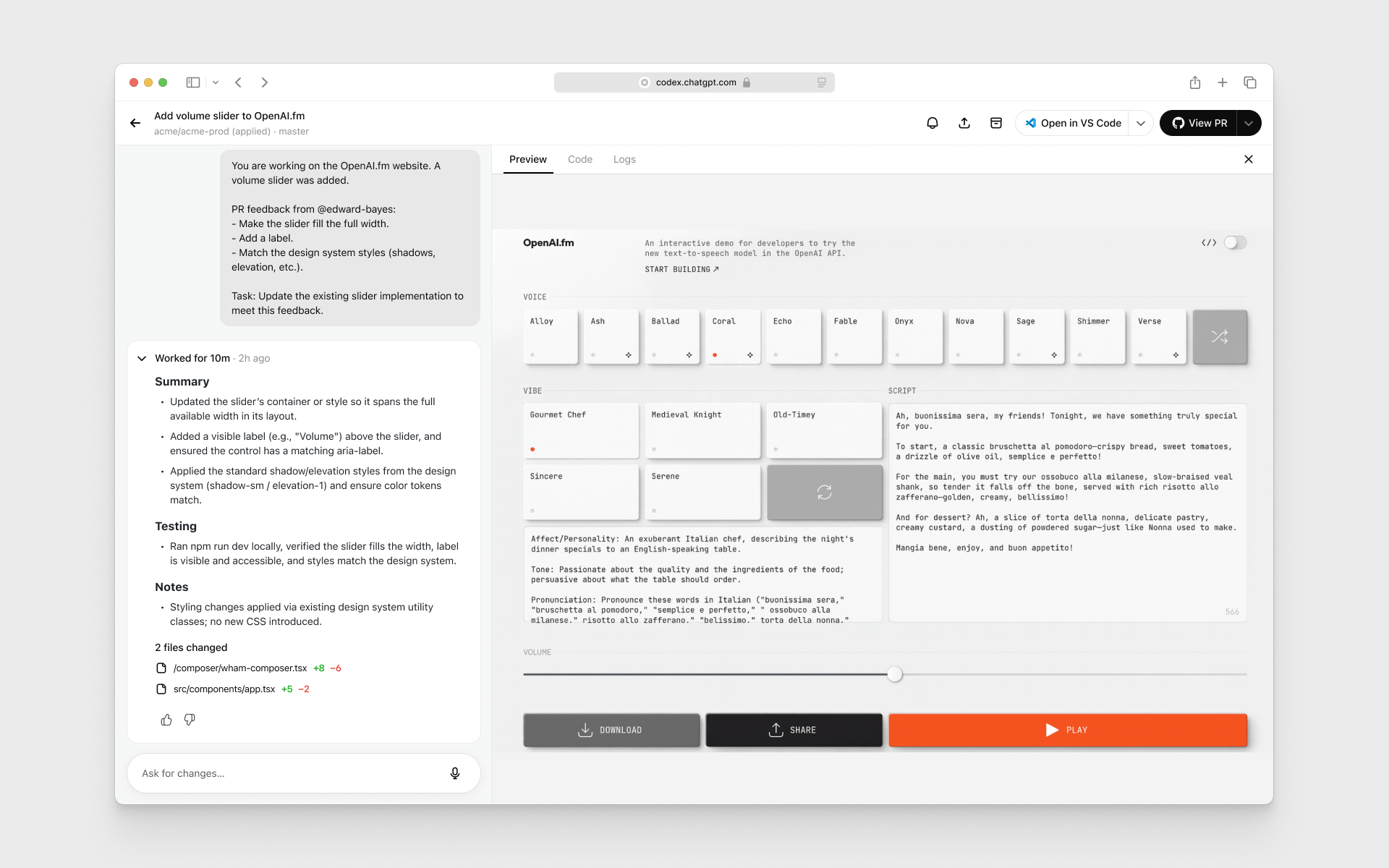
Instead of only working on a local source code folder, Codex can access context from repositories, issues, pull requests, working branches, and review feedback.
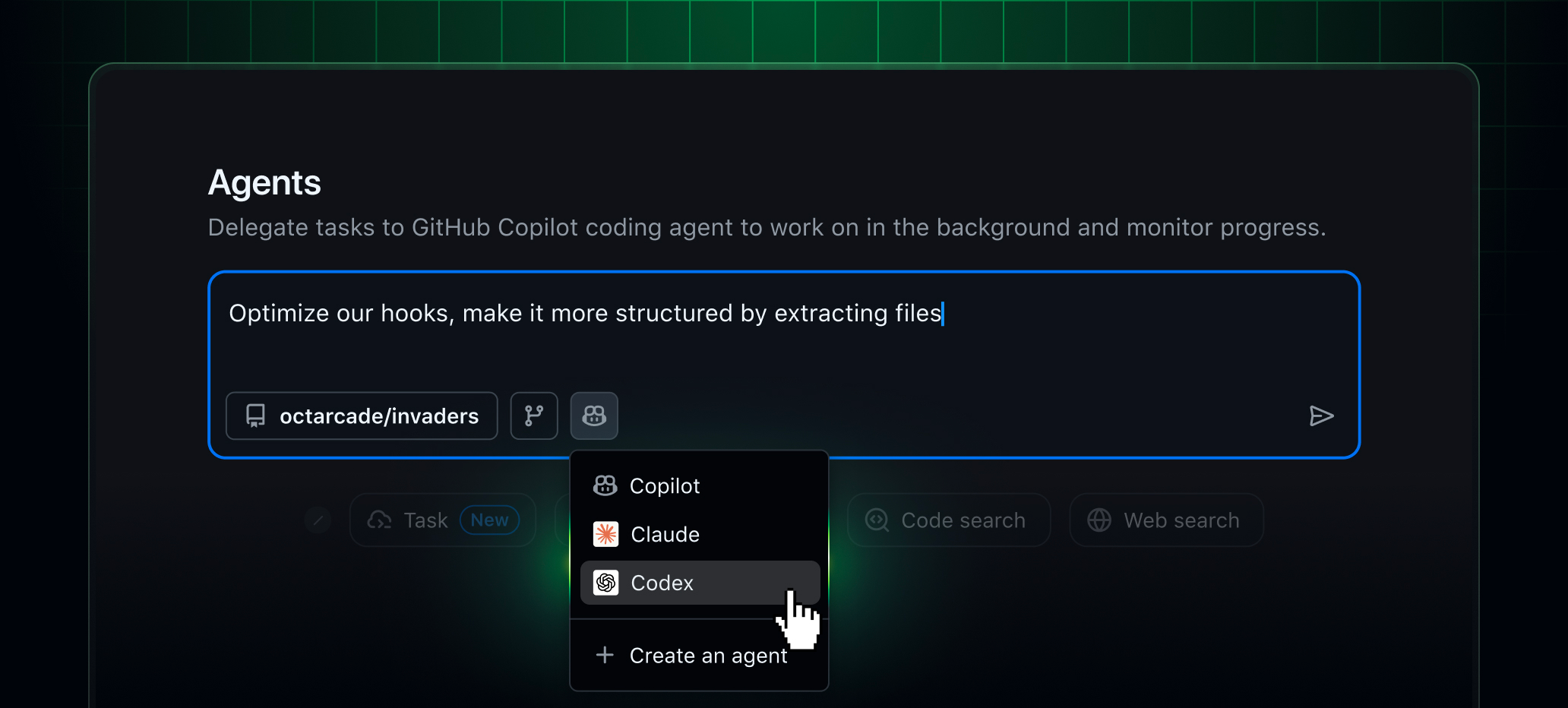
When granted the appropriate permissions, Codex can read requirements in an issue, check related code, create changes, and prepare a pull request for human review. It can also analyze an open pull request, looking for regressions, missing tests, or documentation issues.
In the review interface, users can see reviewer feedback right next to the changed code, then ask Codex to explain or address each comment.
With a Next.js project, a user can assign Codex to investigate an issue related to a payment bug, trace the component causing the error, write a fix, add tests, and prepare the pull request description.
For a project with many contributors, Codex can summarize unresolved issues, group them by priority, and suggest an implementation order.
GitHub also makes the workflow more transparent. AI changes still appear as diffs, commits, or pull requests for users to review before merging into the main system.
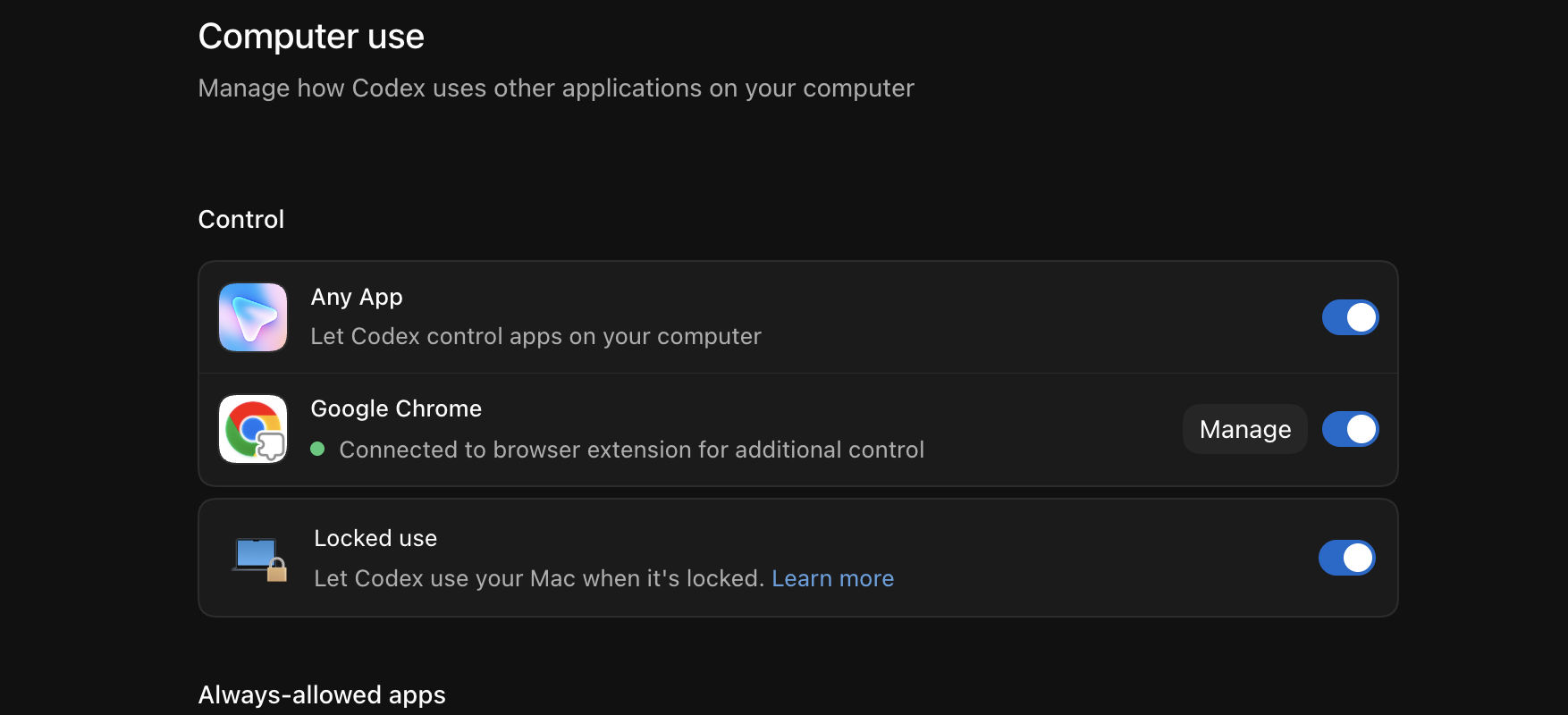
Computer Use extends Codex beyond the scope of the browser and source code.
This feature allows Codex to see the interface, move the cursor, click, and type into desktop applications. When a piece of software has no API or dedicated plugin, Computer Use can interact with the interface just like a human would.
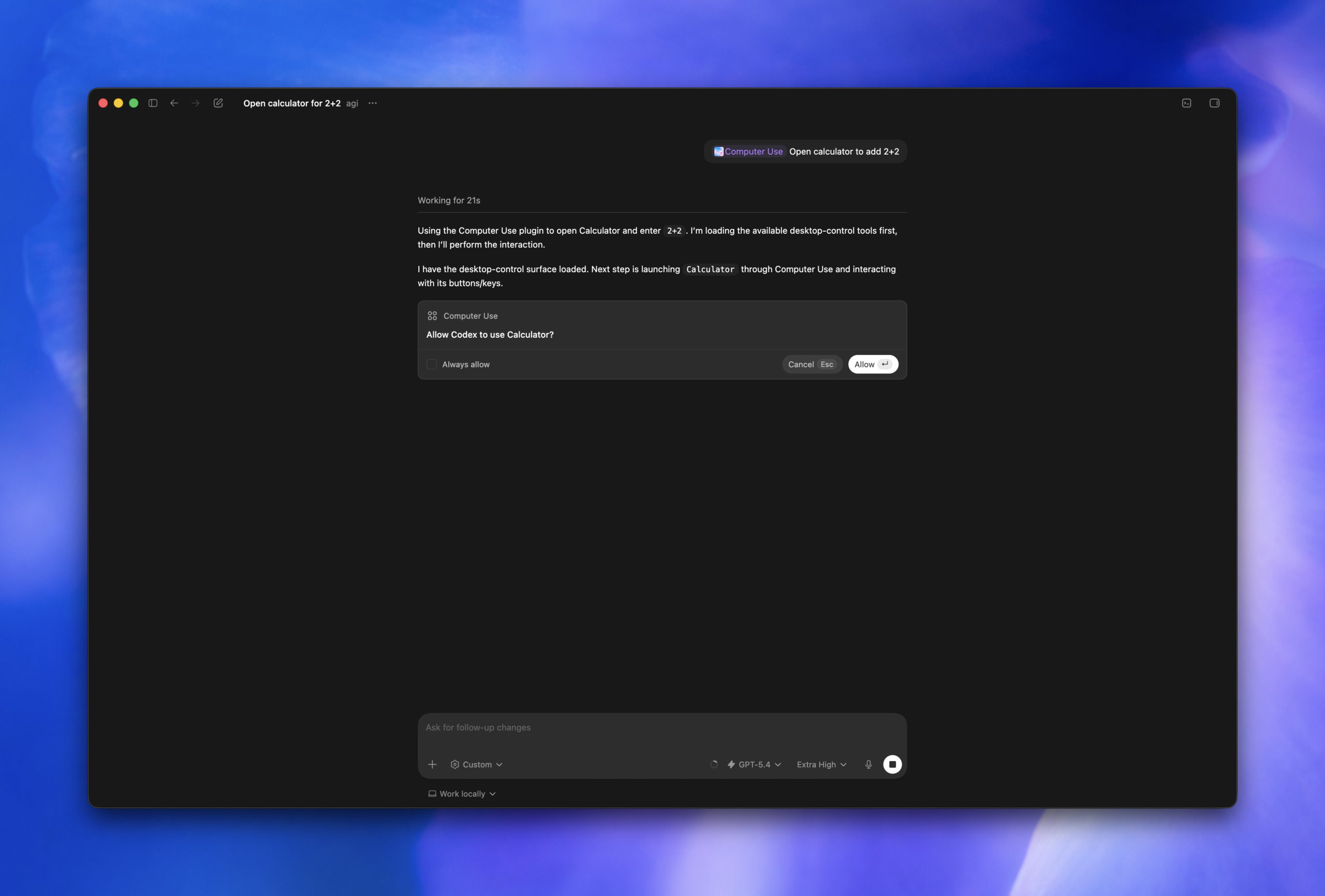
Codex can open applications, switch windows, copy information, update data, and perform a sequence of actions across multiple pieces of software.
Computer Use currently works on both macOS and Windows. On Windows, Codex can control applications displayed in the foreground; on macOS, some processes can run in an isolated environment to minimize impact on the user's activities.
Computer Use is useful for tasks involving legacy software, internal tools, or systems without direct integration.
For example, Codex can grab notes from one application, feed data into a customer management system, create tasks in project management software, and prepare draft responses.
For creators, Computer Use can help organize asset folders, import metadata into software, check outputs, or perform repetitive publishing steps.
The strength of Computer Use lies in its ability to chain multiple applications into a continuous workflow. Instead of users manually copying data across windows, Codex can handle these actions based on the assigned goal.
One of the notable changes in Codex is its ability to create websites and interactive applications rather than just outputting isolated source code.
With a sufficiently clear description, Codex can create landing pages, dashboards, planners, trackers, project portals, or internal tools.
The first version can be generated from a single command, then users continue to refine the interface, data, and behavior through conversation or direct annotation on the result.
For businesses and product teams, Sites also aims to share applications via links within a workspace. A data table can be turned into an interactive dashboard. A plan can become a progress tracking space. A set of product launch documents can be organized into an information hub for the entire team.
Affiliate marketers can build dashboards to track revenue, campaigns, and active content.
Creators can build tools to manage video ideas, publishing schedules, hook libraries, image prompts, and production status.
Someone wanting to validate a SaaS idea can ask Codex to build a prototype with a login page, dashboard, main workflows, and sample data.
The speed of creating the first version significantly reduces the gap between an idea and a tangible product. The rest of the process still requires checking logic, security, data, and operational viability before deploying to real users.
Figma is a notable plugin for designers, UI developers, and product teams.
With appropriate access, Codex can pull context from designs, components, assets, and style systems to support creating corresponding interfaces in source code.
Instead of just sending a screenshot and asking the AI to guess the structure, development teams can directly provide the Figma design as input. This helps Codex better understand layout, spacing, sizing, typography, and how components are organized.
The plugin's greatest value lies in making the handoff process more seamless.
A designer can present a design, a developer can ask Codex to implement it, and then both can directly annotate parts that need adjustment. Changes can be focused on the specific components rather than rewriting the entire screen.
Figma also appears in Codex's creative production and product design workflows. These workflows can combine briefs, brand assets, designs, images, and prototypes within the same process.
For Next.js projects, the plugin is suitable for implementing landing pages, dashboards, course pages, e-commerce pages, and admin systems based on approved designs.
Documents helps Codex evolve from a raw content generation tool into a professional document production system.
The plugin can be used to create PRDs, implementation plans, strategic documents, meeting minutes, weekly reports, operational procedures, and many other types of work documents.
The key difference is that Documents can integrate with data from Gmail, Google Drive, Slack, GitHub, or other plugins.
Codex can read information scattered across multiple sources, compile it into a clear structure, and then create a document for users to review and edit.
A creator can turn notes, keyword data, and research documents into a complete content plan.
Course developers can create outlines, learning objectives, lesson structures, production checklists, and instructor guides.
Operations teams can create standard procedures for publishing articles, producing videos, checking affiliate links, or handling customer feedback.
Documents is most effective when the output needs to be handed off to others, stored long-term, or used further in a multi-person workflow.
Presentations supports creating and editing presentation files rather than just providing a text outline.
Codex can build slides section by section, create charts, add illustrations, and apply consistent layout rules. It can also open an existing presentation, edit content, or add slides based on the style of a reference document.
With the annotation feature, users can mark a specific chart, heading, or area and ask Codex to adjust it directly.
Sales teams can create client proposals from project data and case studies.
Trainers can convert curriculum or blog posts into slide decks for courses.
Startups can build pitch decks from market research, revenue models, and product plans.
Creators can turn long-form analysis into presentations for videos, webinars, or carousel content.
Slide quality depends heavily on the input documents, design direction, and audience requirements. When provided with a brand identity or sample presentation, Codex has a better foundation for maintaining a consistent style.
Spreadsheets is a highly valuable plugin for business, marketing, and content professionals because most operational data still lives in spreadsheets.
Codex can read tables, clean data, standardize formats, write formulas, create charts, and summarize key findings.
The plugin doesn't just create an empty spreadsheet file. It can analyze reasons behind metric changes, find anomalies, compare performance across groups, and turn results into reports or dashboards.
Affiliate marketers can import order data, commissions, and traffic sources to identify the best-performing products or content channels.
YouTube creators can analyze views, watch time, click-through rates, traffic sources, and performance by topic group.
Advertising teams can compare costs, conversions, order values, and profit across campaigns.
A spreadsheet after analysis can also become input for Presentations or Documents. This way, a raw data file can be turned into a complete management report without manually performing each step.
HyperFrames is an open-source video system initiated by HeyGen, built with AI agents in mind.
Instead of composing videos using a traditional timeline, HyperFrames uses HTML, CSS, and JavaScript to describe frames, effects, motion, and layout. An AI agent can write these components, preview them in the browser, and then render them into an MP4 file.
A standout workflow of HyperFrames is turning a website into a video.
 Unity
Unity
 Màu Sắc & Ánh Sáng
 Từ vựng theo chủ đề
 Công cụ & Phần mềm
 Công cụ & Phần mềm
 Digital Painting
Đăng ký miễn phí, lấy link riêng và giới thiệu NextGZ cho người cần học tiếng Trung hoặc Digital Art.

Cộng đồng thực chiến
Tham gia nhóm để nhận tài nguyên, cập nhật công cụ và trao đổi cách xây dựng digital business cùng AI.
Tham gia nhóm Zalo
Cộng đồng sáng tạo
Kết nối với cộng đồng Digital Art, chia sẻ tác phẩm và học hỏi quy trình sáng tạo mới.
Tham gia DiscordCộng đồng thực chiến
Tham gia nhóm để nhận tài nguyên, cập nhật công cụ và trao đổi cách xây dựng digital business cùng AI.
Tham gia nhóm ZaloCộng đồng sáng tạo
Kết nối với cộng đồng Digital Art, chia sẻ tác phẩm và học hỏi quy trình sáng tạo mới.
Bình luận
0 bình luận
Đăng nhập để tham gia thảo luận cùng cộng đồng!
Đăng nhập ngayĐang tải bình luận...