ChatGPT Voice Comes to Desktop: Control Work, Codex, and Many AI Agents with Voice
OpenAI brings ChatGPT Voice to desktop application on macOS and Windows, allowing use of GPT-Live to launch, monitor, and coordinate multiple agents in ChatGPT Work or Codex by voice.
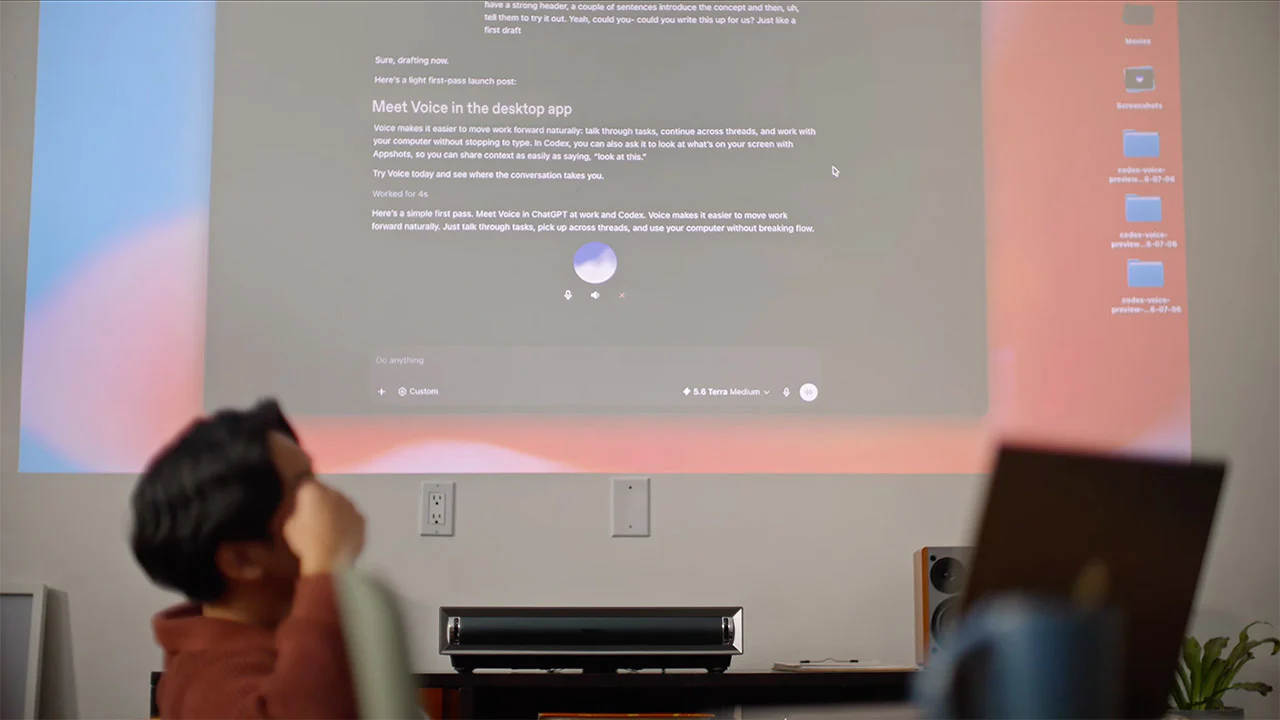
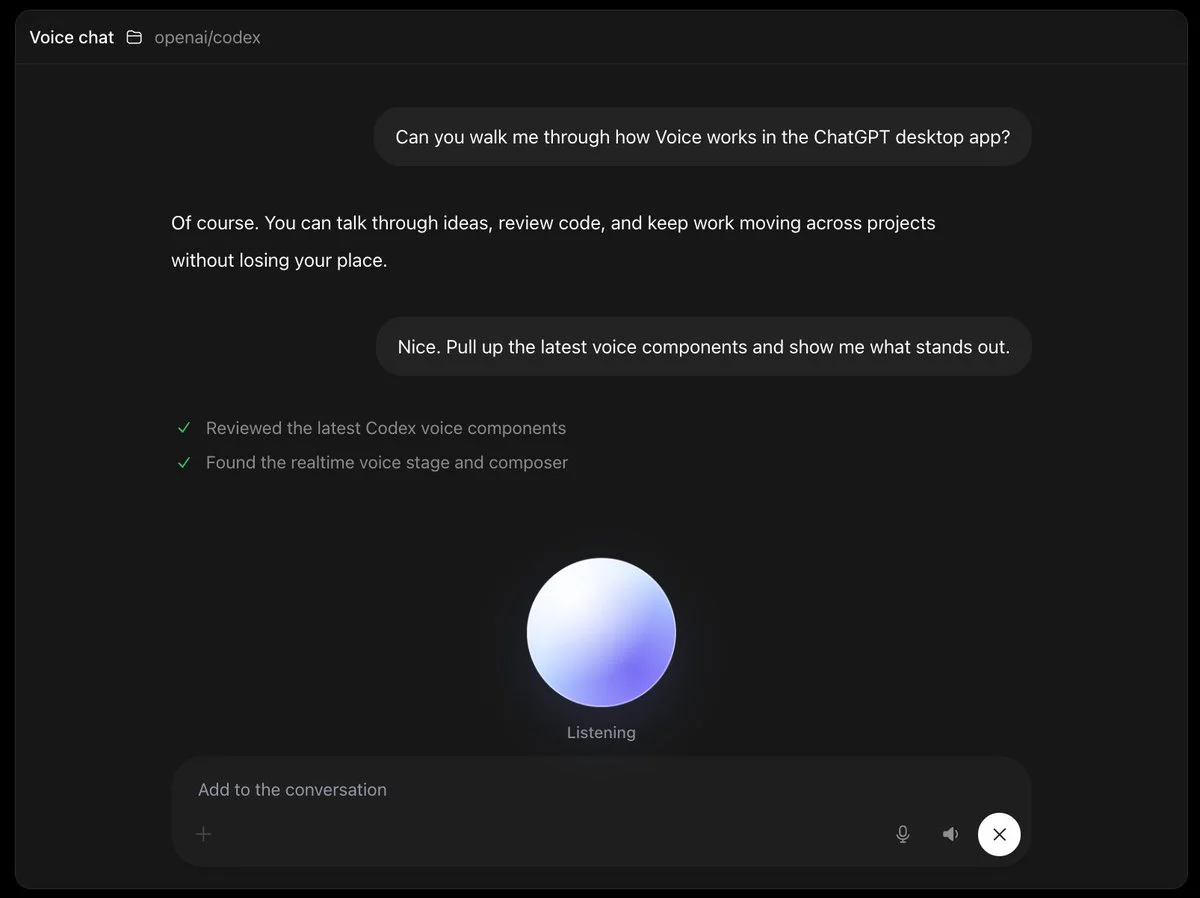
ChatGPT Voice is no longer just a way to talk to a chatbot. From July 24, 2026, OpenAI began integrating Voice into the new ChatGPT desktop app on macOS and Windows, allowing users to use voice to launch tasks, check progress, change requests, and coordinate multiple agents running in ChatGPT Work or Codex.
The key point is that this Voice feature doesn't just convert speech to text. It is powered by GPT‑Live, a full-duplex voice model that can listen and speak simultaneously, allowing users to interrupt naturally while the system still tracks context and coordinates tasks within the application. For content creators, solopreneurs, product teams, and developers, this could mark a shift from "commanding individual tools" to "directing a team of agents through conversation."
However, the promotional phrase "control your computer with voice" needs to be understood accurately. Voice does not have full autonomous control over the device. It only uses the tools, files, apps, and permissions that the user or administrator has granted to Work or Codex. Sensitive actions may still require confirmation, and the actual scope depends on the account plan, app version, operating system permissions, and workspace settings.
What did OpenAI just announce about ChatGPT Voice on desktop?
According to the ChatGPT Release Notes, Voice is now available in Work and Codex on the ChatGPT desktop app. Users can start a new task by voice, speak naturally, interrupt when needed, and ask Voice to launch or coordinate tasks using the tools and permissions of the selected experience.
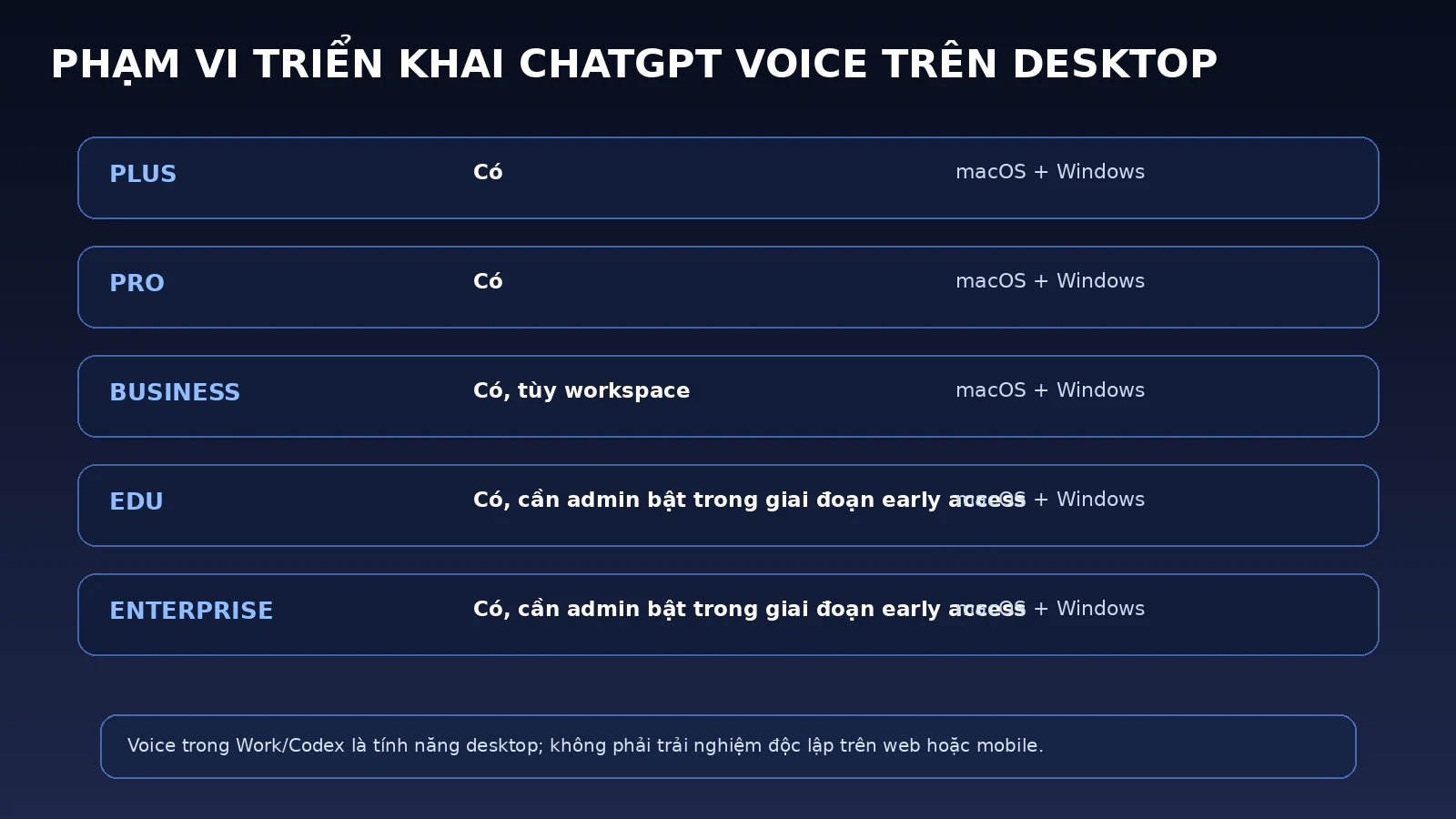
The ChatGPT Voice documentation confirms this feature is available for eligible accounts on macOS and Windows. OpenAI is rolling it out globally for Plus, Pro, Business, Edu, and Enterprise. In organizational environments, access also depends on workspace settings. In the early access phase for Enterprise, Edu, and Healthcare, admins may need to enable both Advanced voice capabilities and Early Model Access before members see Live.
This new announcement follows the desktop app update in mid-July 2026, when OpenAI merged Chat, Work, and Codex into a single app. ChatGPT users can switch between Chat and Work, while Codex remains a separate space for software development. Adding Voice turns this unified interface into a "control center" that can be interacted with through speech instead of just a mouse and keyboard.
Quick Summary
Category
Key Information
Announcement Date
July 24, 2026
Platform
New ChatGPT desktop app on macOS and Windows
Plans Rolled Out To
Eligible Plus, Pro, Business, Edu, and Enterprise
Voice Model
GPT‑Live
Supported Spaces
ChatGPT Work and Codex
Key Capabilities
Launch tasks, check progress, redirect, and coordinate multiple agents
Surface Limitations
Voice in Work/Codex is a desktop capability; not a standalone experience on web or mobile
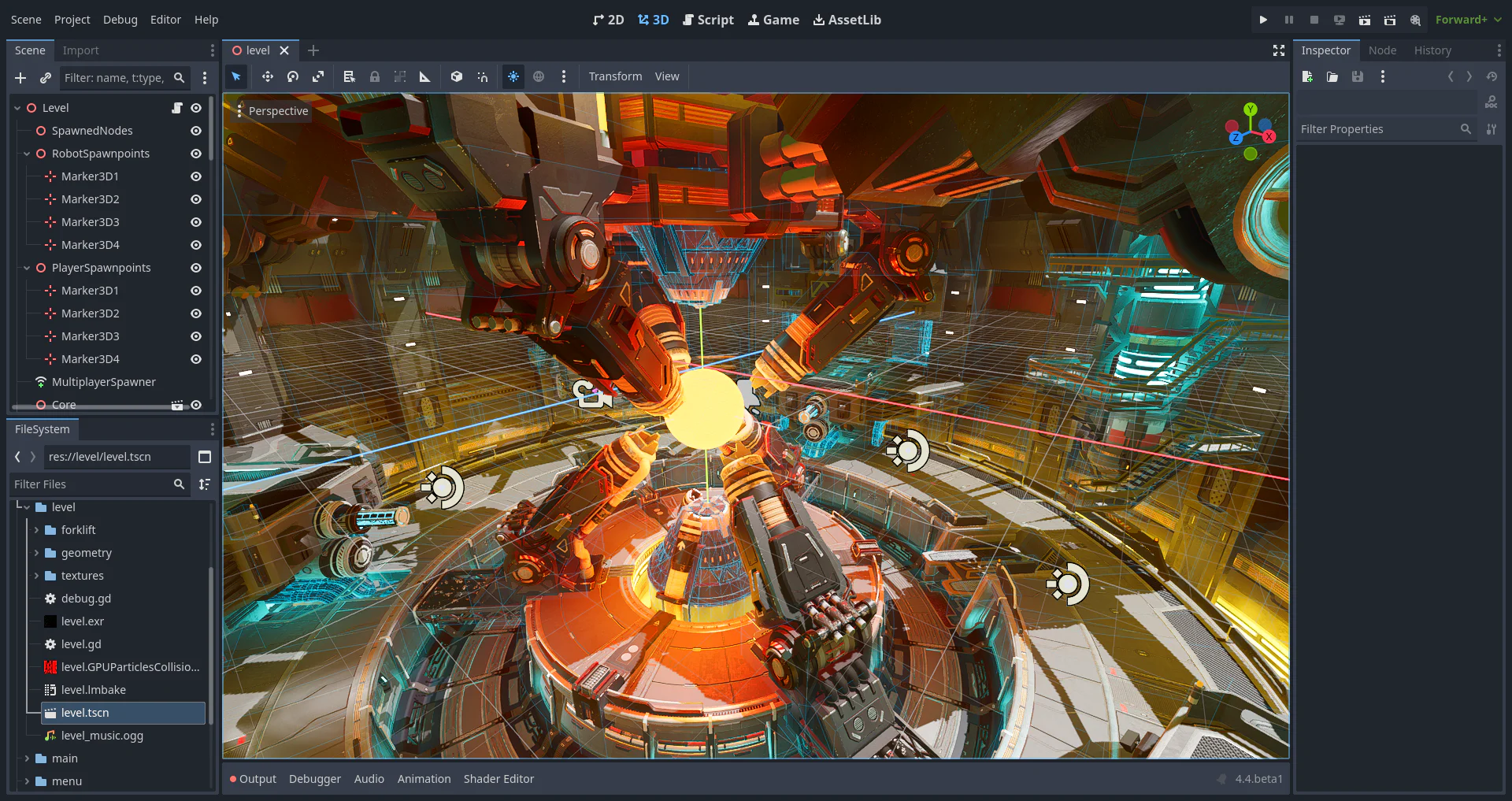
GPT‑Live is the foundation behind the new Voice
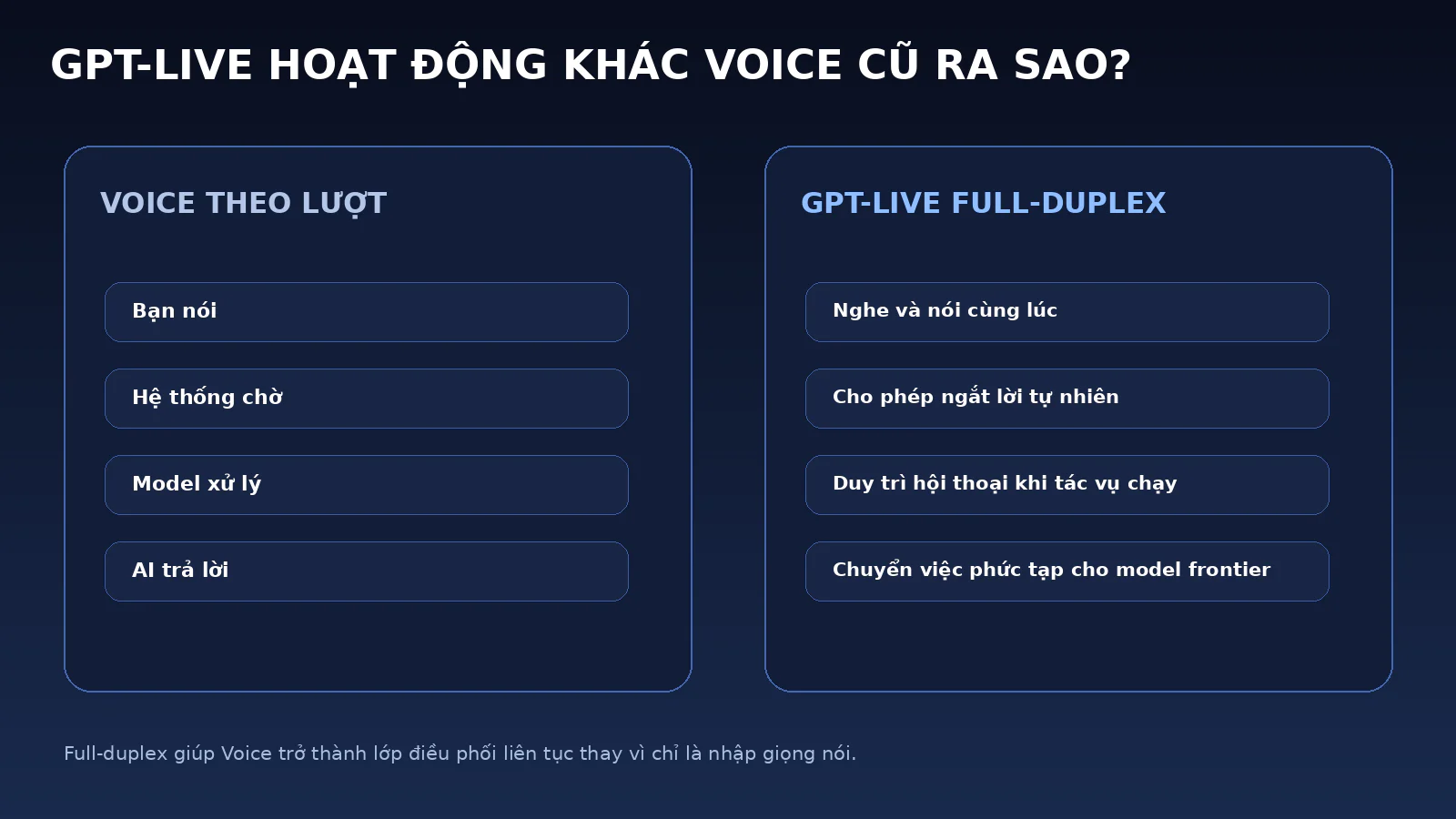
GPT-Live uses a full-duplex architecture, allowing it to listen, speak, and be interrupted naturally. Graphic: NextGZ; data: OpenAI.
OpenAI introduced GPT‑Live on July 8, 2026, as a new generation of voice models for natural human-AI interaction. Unlike traditional turn-based processing, GPT‑Live uses a full-duplex architecture: the system can listen while speaking, recognize when a user wants to interject, pause appropriately, or stay silent when the speaker needs to think.
This capability is particularly important when Voice is used to coordinate work. In a normal conversation, a user might wait for the AI to finish replying before correcting a request. But with Work or Codex, tasks can last several minutes, involving multiple agents or stages. Full-duplex allows the user to intervene as soon as they notice a wrong direction, instead of waiting for the entire workflow to finish.
GPT‑Live can also route questions requiring web search, deep reasoning, or complex processing to the underlying frontier model and return results to the conversation. While a task is running, the Voice layer can still maintain dialogue. This is what makes GPT‑Live more suitable as a "coordinator" than a simple recording or text-reading tool.
How is Voice different from Dictation?
Dictation converts a recording into editable text. The user speaks, the system transcribes, and then the content is entered into an input field. Voice is a direct conversation: the AI listens, understands, responds, tracks context, and can use tools within the selected space.
So, the statement "please record the following ideas" is suited for Dictation. But the statement "open this project, assign one agent to debug, another agent to write tests, and then notify me when both are done" belongs to Voice in Codex. Similarly, "please transcribe the meeting minutes" is a transcription need; "turn the decisions just made into a task board and assign them to respective agents for processing" is a Work need.
Who can use ChatGPT Voice in Work and Codex?
Deployment scope of ChatGPT Voice in Work and Codex on desktop. Graphic: NextGZ; data: OpenAI.
OpenAI states that Voice in Work and Codex is being rolled out globally on the desktop app for Plus, Pro, Business, Edu, and Enterprise. "Global rollout" does not mean every account sees it at the same time. This is still a gradual rollout process, so some users may need to update the app or wait for the feature to appear in their account.
For Business, Edu, and Enterprise, access is controlled by the workspace. Admins can disable Voice, Work, or permissions for using local tools based on roles. In Enterprise, Edu, and Healthcare, GPT‑Live has a two-week early access period; OpenAI's documentation requires enabling Advanced voice capabilities and Early Model Access for members to use Live during this period.
Voice in regular Chat has broader support and exists on web, iOS, Android, and desktop. However, Voice in Work and Codex is a specific capability of the desktop app, as it needs to interface with agents, local folders, repositories, terminals, apps, and operating system permissions. Users can follow some Codex desktop sessions from Remote on iOS, but Codex does not become a standalone option on web or mobile.
The new ChatGPT desktop app, not ChatGPT Classic
OpenAI currently distinguishes between the new ChatGPT desktop app and ChatGPT Classic on macOS. The new app combines Chat, Work, and Codex. ChatGPT Classic is still supported for older capabilities, but new agent features may only appear in the new app.
Users currently using the Codex app just need to follow the standard update process; after updating, the app becomes the new ChatGPT desktop app and retains your Codex projects. Users of the old ChatGPT desktop app may see a prompt to download the new app. Both apps can coexist for a while, so you should check the correct name and interface before concluding that Voice hasn't been granted.
Should you talk to Work or Codex?
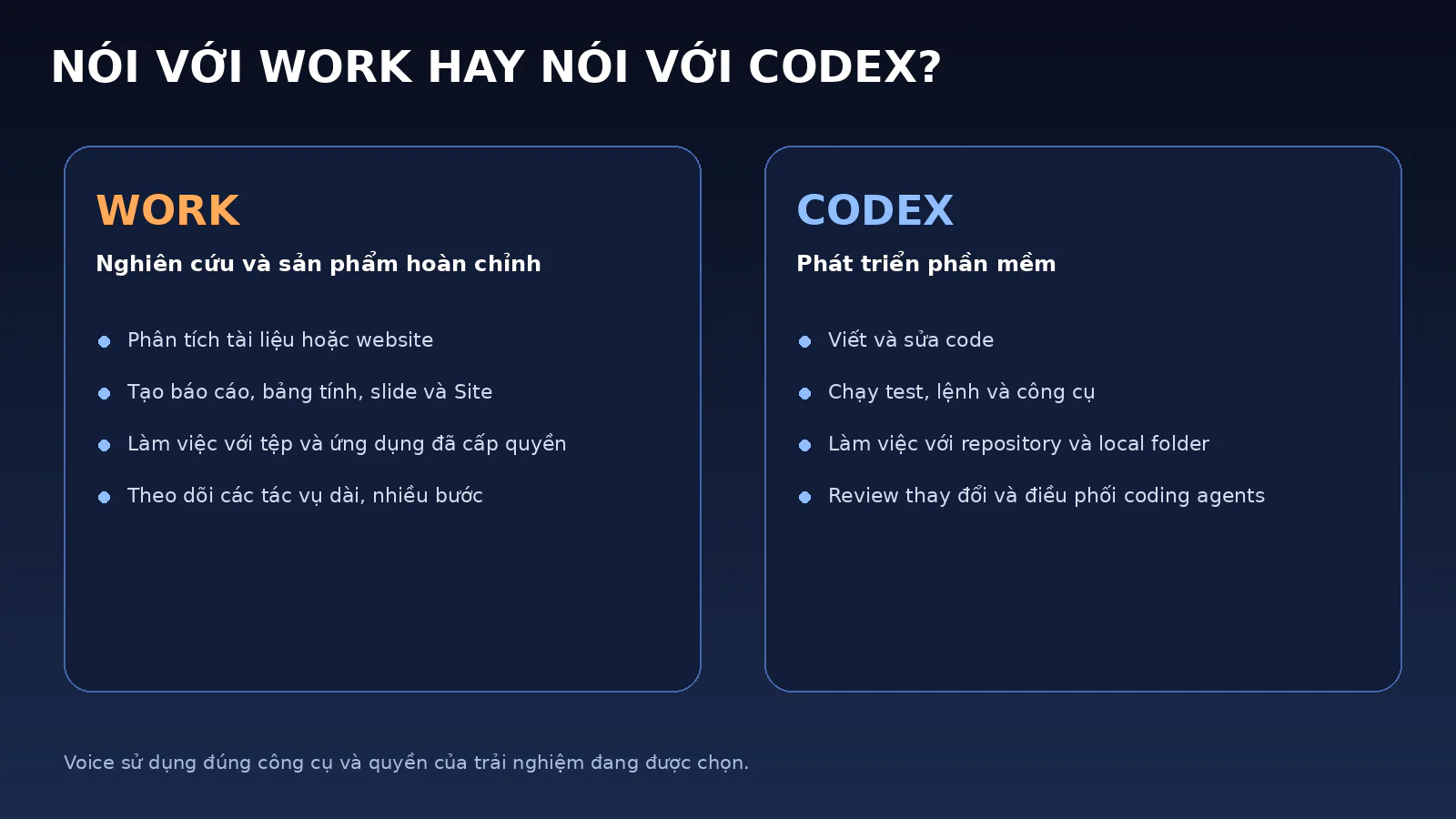
Work is suited for research tasks and deliverables; Codex is for software development. Graphic: NextGZ; data: OpenAI.
Both Work and Codex can be controlled by Voice, but they serve different types of tasks.
ChatGPT Work is geared towards long, multi-step tasks with complete outputs. Work can research a topic, analyze documents, build spreadsheets, create slides, write reports, or finalize a Site. In the desktop app, Work can use local files and apps that the user has permitted.
Codex is for software development. It can work with repositories, local folders, terminals, tests, diffs, and developer tools. Voice in Codex is suitable for stating technical requirements, assigning agents to investigate specific areas, checking progress, or requesting a review of changes.
A simple rule is to look at the end product. If the output is a report, plan, spreadsheet, slide, document, or research, choose Work. If the output is code, tests, pull requests, bug fixes, or changes within a repository, choose Codex.
Example Voice prompts for Work
"Read the three reports in this folder, assign one agent to summarize the data, one agent to check for inconsistencies, and then create a 12-slide deck for this afternoon's meeting."
"Open the browser, collect prices from five competitors, create a comparison table, and ask me before making a final recommendation."
"Monitor the progress of the agents. If any agent is missing data, notify me instead of guessing."
Example Voice prompts for Codex
"Assign one agent to investigate the login error, one agent to review the database migration, and one agent to write regression tests. Don't modify the production config."
"Run the tests in the checkout package, explain the first error, and ask me before changing the schema."
"Compare two performance fix options, clearly state the risks, and only implement the option I approve."
Coordinating multiple agents through a single conversation
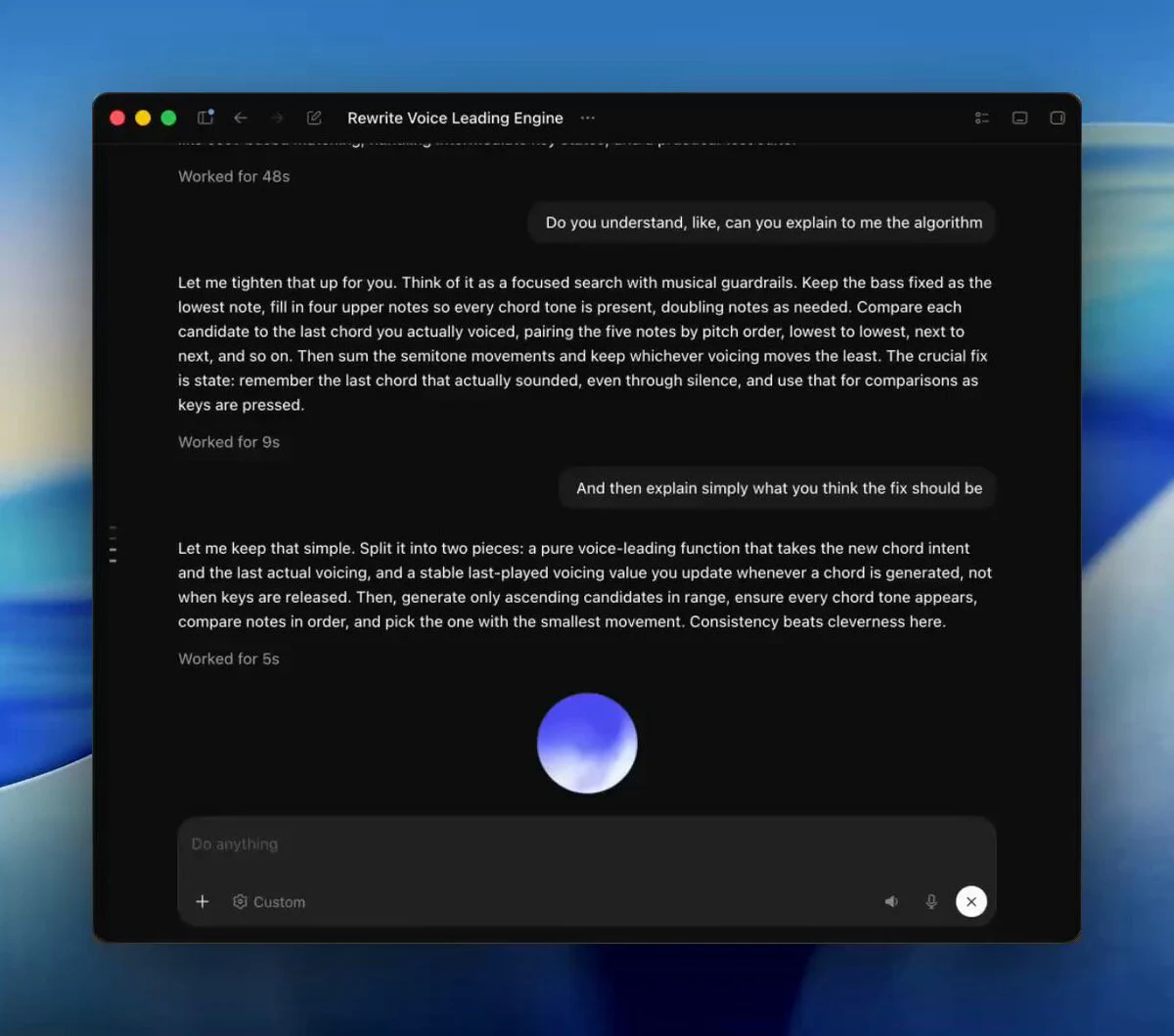
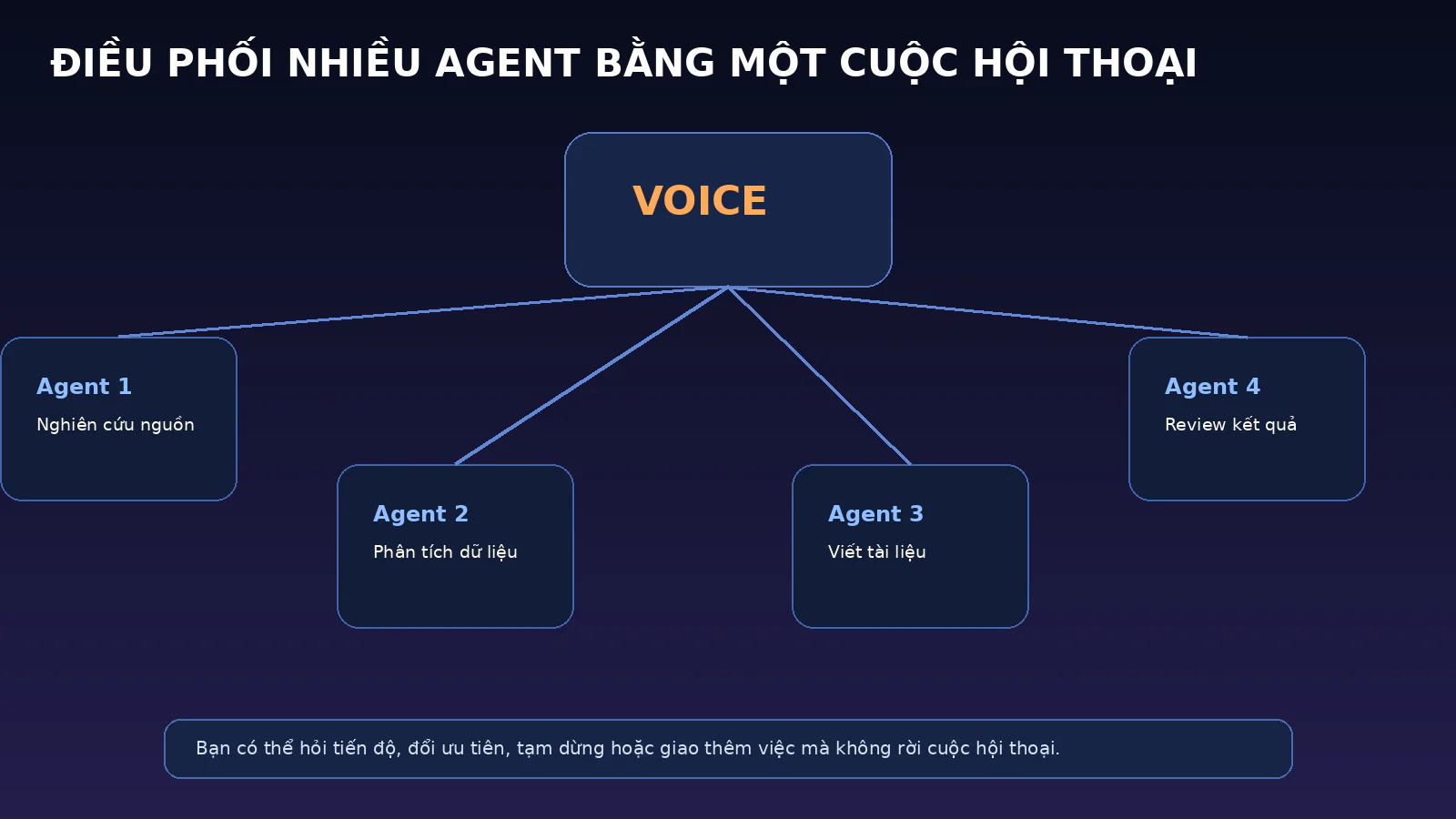
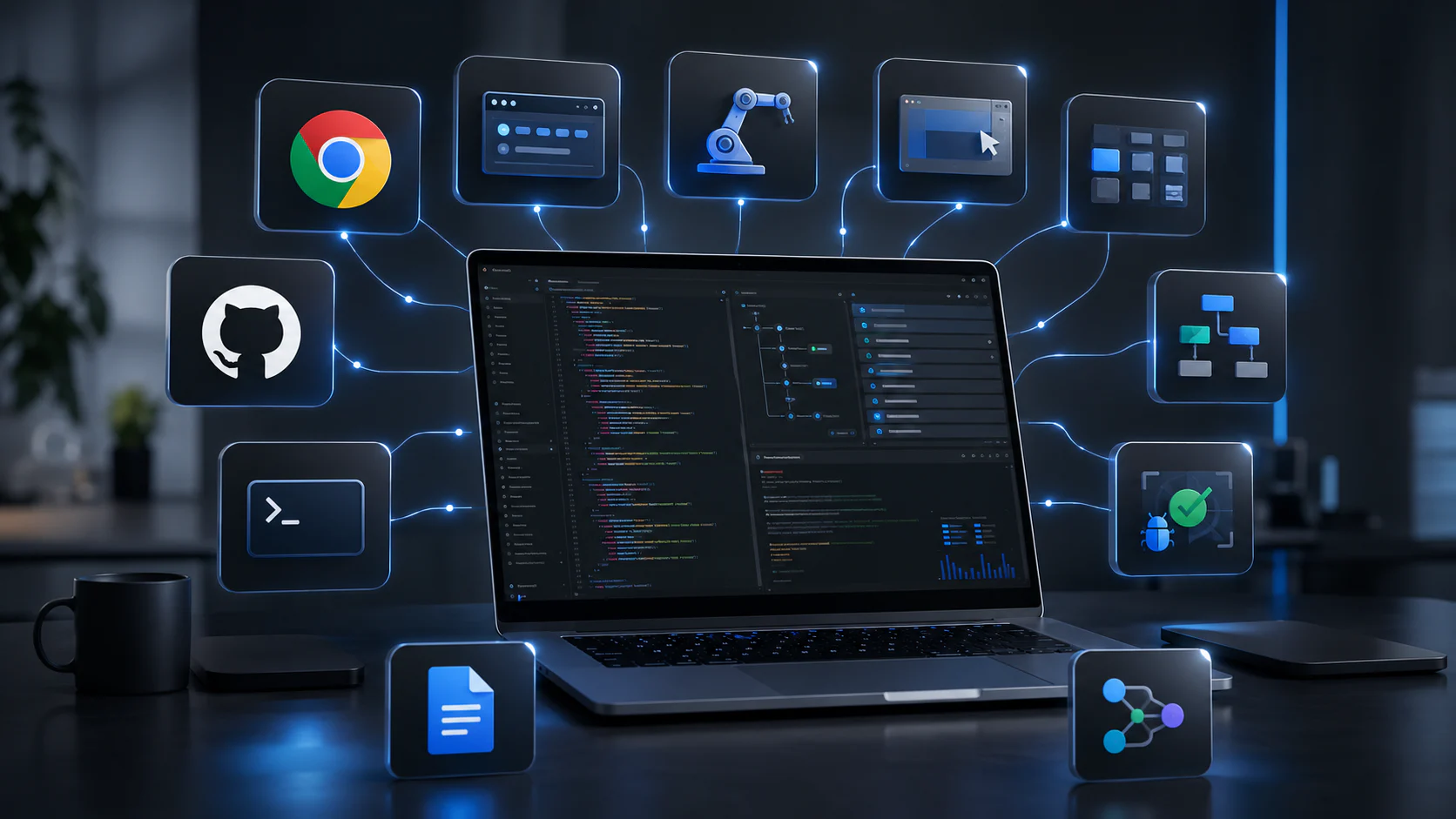
A single voice conversation can be used to launch and coordinate multiple agents in Work or Codex. Graphic: NextGZ; data: OpenAI.
The most notable phrase in OpenAI's announcement is the ability to "direct multiple agents running in ChatGPT Work or Codex." This suggests that Voice can not only start a single task but also become the common communication layer for multiple running agent processes.
In practice, a project could be divided into four branches: a research agent for sources, a data analysis agent, a draft creation agent, and a review agent. Instead of opening separate windows to check on progress, the user can ask Voice to synthesize the status, identify blocked branches, and shift priorities.
The greatest value isn't "going hands-free," but reducing the cost of context switching. A solopreneur editing a video could say: "While I work on the edit, have the research agent continue finding sources, pause the writing agent where data is insufficient, and alert me when the comparison table is complete." Voice becomes a parallel management channel alongside the main task.











Bình luận
0 bình luận
Đăng nhập để tham gia thảo luận cùng cộng đồng!
Đăng nhập ngayĐang tải bình luận...