OpenHands Agent Canvas: Điều Phối Claude Code, Codex Và Gemini Trên Nền Tảng Self-Hosted
OpenHands Agent Canvas là control center self-hosted để chạy OpenHands, Claude Code, Codex, Gemini và agent ACP trên local, Docker, VM hoặc cloud. Bài phân tích kiến trúc, cài đặt, automation, bảo mật, chi phí và mức độ trưởng thành Beta.
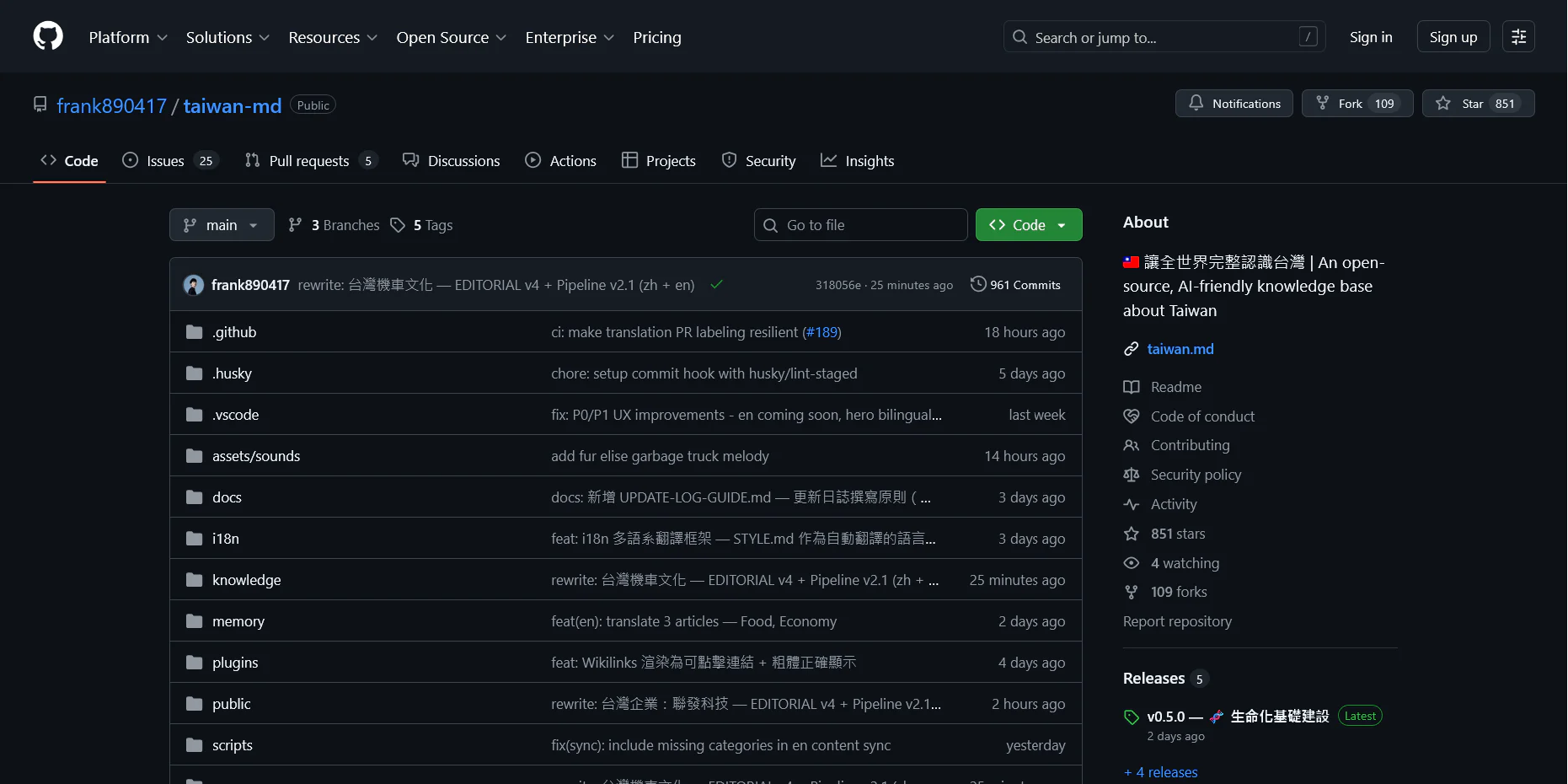
OpenHands và Agent Canvas được phát triển công khai trên GitHub. Ảnh giao diện GitHub: Wikimedia Commons.
Từ một coding agent đơn lẻ đến trung tâm điều phối cả đội agent
Vibe Coding đang bước sang một giai đoạn mới. Câu hỏi không còn chỉ là model nào viết được đoạn code tốt hơn, hay extension nào hoàn thành một prompt nhanh hơn. Khi developer bắt đầu giao cho AI những nhiệm vụ kéo dài hàng chục phút, chạy đồng thời trên nhiều repository, nhận sự kiện từ GitHub hoặc Slack và tiếp tục làm việc khi laptop đã tắt, vấn đề lớn nhất chuyển từ “sinh code” sang “điều phối hệ thống”.
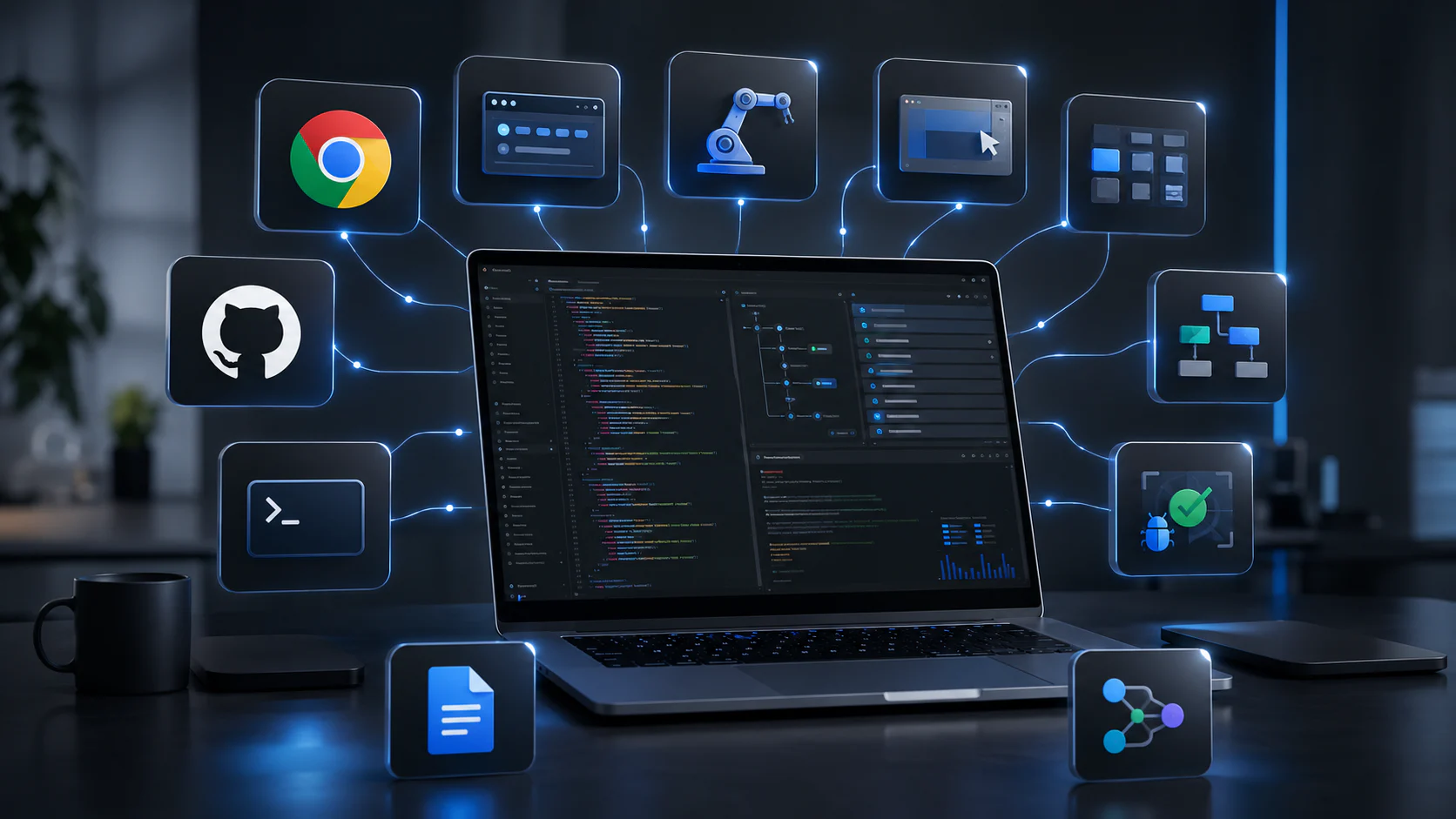
OpenHands Agent Canvas được xây cho chính khoảng trống đó. Thay vì cạnh tranh như một model hoặc một cửa sổ chat mới, Agent Canvas tự định vị là developer control center: một giao diện chung để chạy OpenHands Agent, Claude Code, OpenAI Codex, Gemini CLI hoặc bất kỳ agent nào tương thích Agent Client Protocol. Agent có thể chạy ngay trên laptop, trong Docker, trên máy ảo, hạ tầng doanh nghiệp hoặc OpenHands Cloud; người dùng chuyển backend trong cùng một giao diện thay vì phải đổi công cụ.
Điểm cần hiểu chính xác là OpenHands và Agent Canvas không hoàn toàn đồng nghĩa. Repository chính OpenHands/OpenHands hiện có khoảng 82.000 star và hơn 10.000 fork, phản ánh quy mô cộng đồng của toàn bộ dự án. Mã nguồn giao diện Agent Canvas đang được tách sang repository OpenHands/agent-canvas, được phát hành theo MIT License nhưng vẫn gắn nhãn Beta. Tại thời điểm kiểm tra, repository riêng này có hơn 100 star, hơn 800 commit và lượng issue, pull request vẫn thay đổi nhanh. Không nên lấy 82.000 star của dự án chính để khẳng định riêng Agent Canvas đã trưởng thành tương đương một sản phẩm ổn định lâu năm.
Sự tách repository cũng phản ánh kiến trúc mới. OpenHands Software Agent SDK và Agent Server trở thành lớp nền Python; Agent Canvas là frontend và control surface chủ yếu viết bằng TypeScript; Automation Server quản lý tác vụ theo lịch hoặc sự kiện. Đây là hướng đi đáng chú ý: một hệ sinh thái coding agent không còn xoay quanh một vòng lặp LLM duy nhất, mà được chia thành agent harness, môi trường thực thi, lớp điều phối, tích hợp và quan sát.
Agent Canvas giải quyết vấn đề gì?
Một coding agent chạy trong terminal hoặc IDE thường tối ưu cho một developer và một phiên làm việc. Người dùng mở repository, nhập nhiệm vụ, theo dõi agent sửa file, chạy test rồi review diff. Mô hình này rất hiệu quả với công việc tương tác trực tiếp, nhưng bắt đầu bộc lộ giới hạn khi cần:
Chạy nhiều agent song song mà không để chúng ghi đè cùng working tree.
Tiếp tục nhiệm vụ trên máy chủ khi laptop đã tắt.
Dùng Claude Code cho một repository, Codex cho repository khác và OpenHands Agent cho workflow tự động.
Kích hoạt agent từ issue, pull request, webhook, Slack hoặc lịch định kỳ.
Giữ lịch sử, đầu ra, trạng thái và quyền truy cập trong một nơi.
Chuyển một quy trình thành automation có thể tái sử dụng thay vì prompt thủ công.
Quản lý secrets, MCP server, skills và model profile cho nhiều công việc.
Tách giao diện điều khiển khỏi nơi agent thực sự chạy.
Agent Canvas tập trung vào lớp điều phối đó. Theo trang sản phẩm chính thức, nền tảng hỗ trợ nhiều agent chạy song song, mỗi agent có thể được cô lập bằng Git worktree; automation theo lịch hoặc sự kiện; backend local, VM và cloud; thư viện skills, MCP connection và agent harness thông qua ACP.
Điều này không biến Agent Canvas thành model. Chất lượng lập luận, code và tool use vẫn phụ thuộc agent harness, model, context, cấu hình và test của dự án. Canvas là nơi người dùng lựa chọn, quan sát và kết nối các thành phần đó thành một hệ thống làm việc.
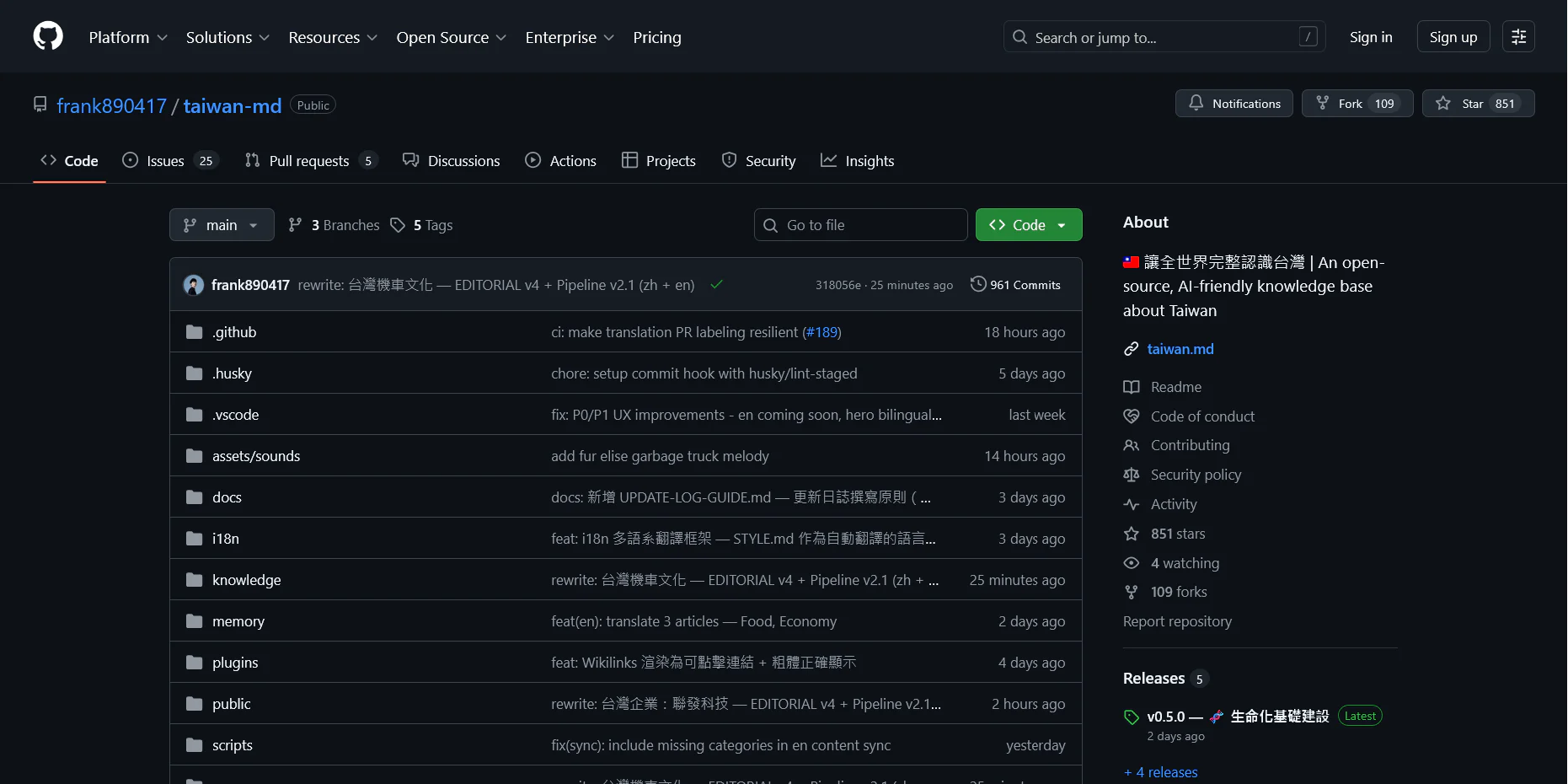
Repository Agent Canvas được viết chủ yếu bằng TypeScript. Nguồn: Microsoft/Wikimedia Commons, Apache 2.0.
Kiến trúc: Canvas, Agent Server, workspace và automation
Agent Canvas là lớp giao diện và điều phối
Agent Canvas cung cấp giao diện để tạo conversation, chọn backend, kết nối agent, xem lịch sử, cấu hình skills, MCP và automation. Frontend không nhất thiết chạy cùng máy với agent. Một Canvas trên laptop có thể kết nối Agent Server trên VM; một team có thể dùng server chung cho dependency update và code review, trong khi agent cá nhân vẫn chạy local.
Agent Server là lớp thực thi
OpenHands Agent Server là HTTP/WebSocket service phục vụ chạy agent từ xa. Server quản lý conversation, workspace, file, command và stream sự kiện về client. Cùng một API SDK có thể dùng với local workspace, Docker workspace hoặc remote workspace, giúp ứng dụng thay đổi môi trường thực thi mà không phải viết lại toàn bộ logic agent.
Trong kiến trúc SDK mới, agent server là một package Python riêng. Nó có thể chạy trực tiếp, trong container, trên VM hoặc Kubernetes. Lớp workspace chịu trách nhiệm nơi agent đọc file, thực thi command và tạo artifact; client chỉ điều khiển conversation và nhận event.
OpenHands Software Agent SDK và Agent Server sử dụng Python. Nguồn: Python Software Foundation/Wikimedia Commons.
Automation Server biến conversation thành quy trình lặp
Automation không chỉ là scheduled prompt. Theo tài liệu OpenHands Automations, mỗi lần chạy tạo một conversation đầy đủ trong sandbox mới, có thể dùng LLM profile, stored secret, Git credentials và MCP integration đã cấu hình. Kết quả được lưu lại để người dùng review hoặc tiếp tục hội thoại.
Các workflow điển hình gồm tổng hợp issue, kiểm tra dependency, quét bảo mật, tạo báo cáo, đồng bộ dữ liệu và gửi thông báo. Đây là điểm khác biệt giữa control center và một chat client: công việc được định nghĩa một lần, kích hoạt theo lịch hoặc event, tạo log để theo dõi và có thể mở rộng sang nhiều repository.
ACP tách giao diện khỏi agent harness
Agent Client Protocol dùng JSON-RPC để chuẩn hóa giao tiếp giữa client và agent. OpenHands có thể đóng vai client điều khiển agent ACP khác, hoặc cung cấp agent qua ACP cho IDE. Trong Agent Canvas, ACP là cầu nối để sử dụng Claude Code, Codex, Gemini CLI và các harness tương thích mà không buộc developer bỏ subscription, model hay workflow quen thuộc.
Giá trị của lớp protocol là giảm phụ thuộc vào một agent. Nếu một team đang dùng Claude Code cho refactor dài, Codex cho task chạy cloud và OpenHands Agent cho automation, Canvas có thể trở thành lớp quản lý chung. Tuy nhiên, “hỗ trợ cùng giao thức” không đồng nghĩa mọi tính năng của từng agent sẽ giống nhau. Approval, tool, resume, authentication và cách tính phí vẫn phụ thuộc harness phía sau.
Parallel agents và Git worktree: lợi ích lớn, nhưng không tự giải quyết xung đột
Agent Canvas quảng bá khả năng chạy nhiều agent song song, mỗi agent ở một Git worktree riêng. Đây là cách hợp lý để cô lập filesystem: mỗi nhiệm vụ có working directory và branch riêng, tránh hai agent cùng sửa một file vật lý trong một checkout.
Worktree không loại bỏ xung đột logic. Hai agent có thể sửa cùng module theo hai cách khác nhau, thay schema không tương thích hoặc cùng cập nhật dependency. Khi merge, con người hoặc một verification workflow vẫn phải đánh giá thứ tự, test tích hợp và tác động giữa các branch. Parallelism giúp tăng throughput; nó không biến repository thành hệ thống tự hợp nhất.
Một chiến lược thực tế là chia nhiệm vụ theo boundary rõ: một agent xử lý test, một agent cập nhật tài liệu, một agent điều tra bug; hoặc chia theo package ít phụ thuộc nhau. Với migration xuyên nhiều module, nên có agent lập kế hoạch và khóa các quyết định kiến trúc trước khi chạy nhiều agent thực thi.
Git và worktree giúp cô lập thay đổi giữa các agent chạy song song. Ảnh: Jason Long/Wikimedia Commons, CC BY 3.0.
Agent Canvas hỗ trợ model và agent nào?
OpenHands Agent mặc định cho phép cấu hình nhiều LLM provider và API endpoint. Agent Canvas còn hỗ trợ agent bên thứ ba qua ACP. Trang sản phẩm hiện liệt kê Claude Code, Codex, Gemini CLI và OpenHands Agent. Điều này tạo ra hai mô hình sử dụng:
Bring your own model: chạy OpenHands Agent và cung cấp API key cho Anthropic, OpenAI, Google, Mistral, MiniMax, Kimi hoặc endpoint tương thích.
Bring your own agent: kết nối Claude Code, Codex, Gemini CLI hoặc agent ACP khác, giữ subscription và cách hoạt động của harness đó.
Hai mô hình có cấu trúc chi phí khác nhau. Với API key, người dùng trả theo token hoặc request và tự kiểm soát model profile. Với agent subscription, giới hạn có thể dựa trên gói, quota hoặc chính sách của nhà cung cấp. Agent Canvas không làm biến mất chi phí model; nó gom các agent về một control surface.
Doanh nghiệp nên ghi lại model thực tế của mỗi run, thời lượng, tool call, số vòng retry và thời gian review. Một agent đắt hơn trên mỗi token có thể rẻ hơn nếu hoàn thành nhiệm vụ ít lần thử hơn. Ngược lại, chạy nhiều agent song song mà không đặt budget có thể tạo hóa đơn khó dự đoán.
Automation và tích hợp: từ GitHub issue đến báo cáo Slack
Agent Canvas hướng tới automation theo lịch, webhook, polling và event. Một workflow có thể nhận issue GitHub, phân tích phạm vi, tạo task, chạy agent trong worktree, mở pull request và gửi bản tóm tắt vào Slack. Workflow khác có thể kiểm tra dependency hằng tuần, theo dõi API health, tổng hợp incident hoặc sinh báo cáo release.
Các tích hợp được cung cấp qua Git credentials, MCP server, plugins và skills. Tài liệu Automations lưu ý rằng Git provider đã dùng để đăng nhập có thể được đưa vào conversation tự động; các dịch vụ như Slack cần MCP integration hoặc secret phù hợp. Điều này tiện lợi nhưng làm tăng phạm vi quyền của agent.
Không nên cấp một token GitHub toàn quyền cho workflow chỉ cần đọc issue. Với Slack, bot chỉ nên được thêm vào channel cần thiết. Với Notion, Linear hoặc hệ thống nội bộ, token nên dùng scope tối thiểu và tách theo môi trường. Automation chạy không có người theo dõi trực tiếp phải có giới hạn chặt hơn conversation tương tác.
Agent Canvas hỗ trợ workflow liên quan Slack. Nguồn: Slack/Wikimedia Commons.
Cài đặt Agent Canvas local
Repository hiện yêu cầu Node.js 22.12 trở lên và uv. Cách nhanh nhất là cài npm package toàn cục:
Giao diện mặc định mở tại http://localhost:8000. Sau đó người dùng thêm backend, kết nối agent, cấu hình LLM hoặc subscription và tạo conversation.
Cảnh báo quan trọng trong README: cài trực tiếp khiến agent server chạy trên máy và có toàn quyền với filesystem mà user hiện tại có thể truy cập. Đây là lựa chọn dễ cài và dễ debug, không phải cấu hình mặc định an toàn cho repository chứa secrets, SSH key, tài liệu cá nhân hoặc credential production.
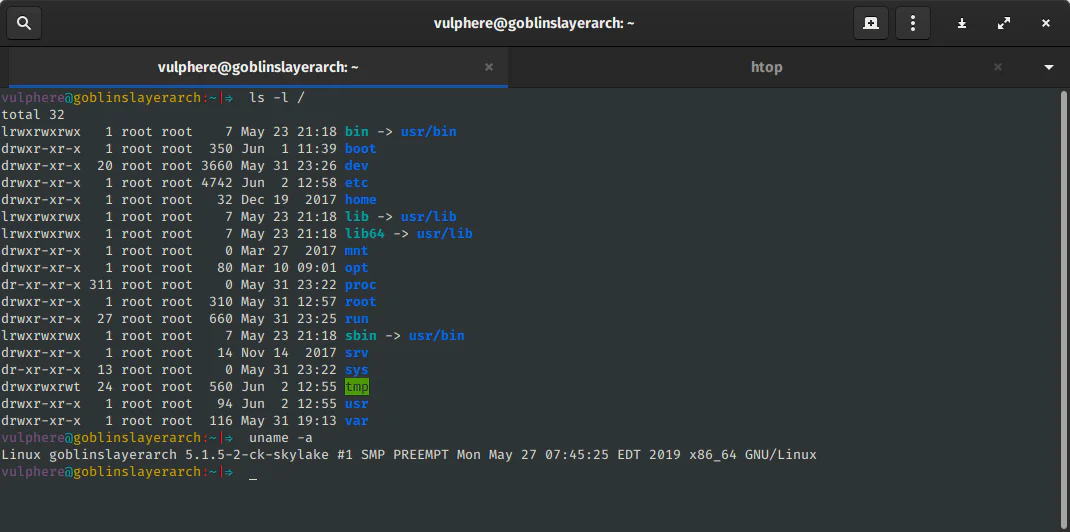
Node.js là yêu cầu cài đặt của Agent Canvas. Nguồn: Node.js/Wikimedia Commons, MIT License.Terminal dùng để cài npm package, khởi động Agent Canvas và theo dõi log. Ảnh: GNOME Project/VulcanSphere, GPLv3.
Chạy trong Docker sandbox
Với dự án thật, Docker là điểm bắt đầu an toàn hơn vì giới hạn filesystem theo volume được mount. README hiện minh họa image ghcr.io/openhands/agent-canvas:1.6.1:
Container vẫn đọc và ghi được mọi project dưới PROJECTS_PATH. Không nên mount toàn bộ home directory, Docker socket hoặc thư mục chứa credential chỉ vì tiện. Mỗi nhóm project có thể dùng volume riêng; repository nhạy cảm nên tách khỏi workspace automation thường ngày.
Docker cũng không phải ranh giới tuyệt đối nếu container chạy privileged, mount socket hoặc được cấp network không giới hạn. Hardening nên gồm user không phải root, filesystem read-only khi phù hợp, resource limit, egress control, image pinning, secret injection theo runtime và quét dependency.
Self-host trên VM: luôn hoạt động nhưng tăng trách nhiệm vận hành
VM giúp agent tiếp tục chạy khi laptop tắt và nhận webhook từ bên ngoài. Đây là cấu hình hợp lý cho automation định kỳ, bot triage hoặc dependency maintenance. Đổi lại, người vận hành phải bảo vệ một service có khả năng chạy command và sửa code.
Checklist tối thiểu gồm:
Dùng API key đủ dài cho Agent Server và không commit vào repository.
Không phơi cổng quản trị trực tiếp ra Internet nếu có thể dùng VPN hoặc private network.
Đặt reverse proxy có TLS, rate limit và log truy cập.
Chạy service bằng user riêng, không dùng tài khoản quản trị hệ thống.
Chỉ mount repository cần thiết và tách credential theo workflow.
Cấu hình firewall, cập nhật hệ điều hành và image định kỳ.
Giới hạn CPU, RAM, storage và thời gian chạy để tránh runaway agent.
Backup cấu hình, conversation metadata và automation definition, nhưng không sao chép secret vào bản backup không mã hóa.
Tài liệu OpenHands gợi ý một VM Ubuntu 24.04 với khoảng 2 vCPU và 4 GB RAM cho người dùng đơn lẻ, nhưng nhu cầu thực tế phụ thuộc số agent, container, test suite và model local. Build lớn hoặc nhiều sandbox song song cần tài nguyên cao hơn đáng kể.
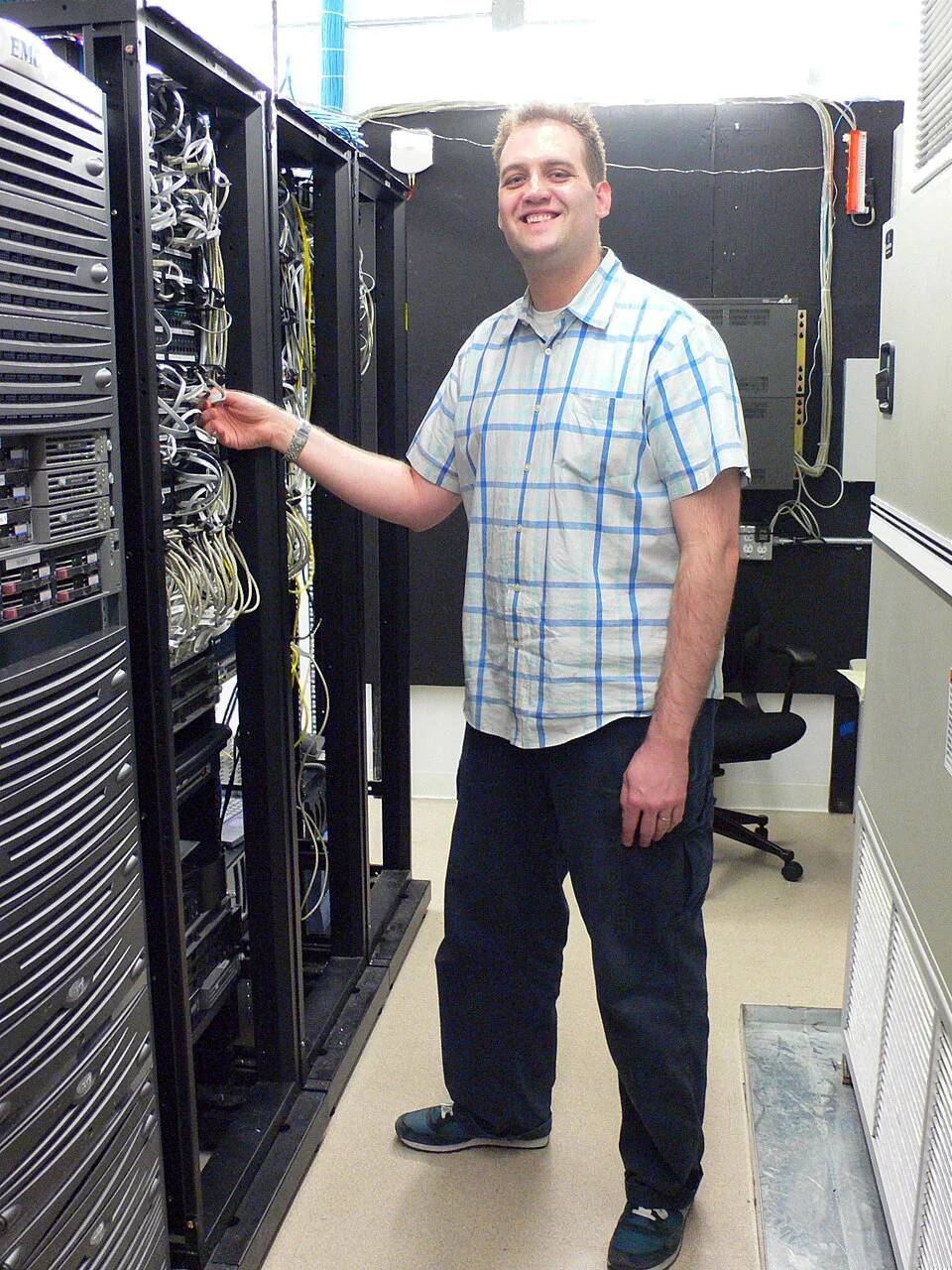
Self-hosting agent lâu dài đòi hỏi quản trị máy chủ, mạng, cập nhật và giám sát. Ảnh: Phil Hollenback, CC BY 2.0.
Kubernetes và hạ tầng nhiều người dùng
OpenHands Agent Server có thể chạy trên Kubernetes và hỗ trợ workspace cô lập. Khi chuyển từ một developer sang nhiều team, bài toán không còn là “container có chạy không” mà là tenancy, quota, scheduling, secret, audit và cost attribution.
Mỗi workspace có thể tiêu thụ khoảng 1–2 GB RAM hoặc nhiều hơn tùy công việc. Nếu hàng chục automation chạy cùng giờ, cluster phải xử lý burst. Hệ thống nên có idle timeout để dừng container không hoạt động, quota theo user, giới hạn concurrency và policy chỉ cho phép image đã duyệt.
Kubernetes hữu ích khi doanh nghiệp đã có platform team. Với solopreneur hoặc nhóm nhỏ, một VM được harden thường đơn giản và ít chi phí vận hành hơn. Chọn Kubernetes chỉ vì “production” có thể tạo thêm nhiều lớp lỗi hơn giá trị nhận được.
Kubernetes phù hợp khi mở rộng hạ tầng agent và sandbox. Nguồn: Kubernetes/Wikimedia Commons.
Bảo mật: Agent Canvas có thể khuếch đại cả năng suất lẫn sai sót
Filesystem và command execution
Coding agent cần đọc file, chạy terminal, cài package và test. Chính những quyền tạo giá trị cũng cho phép xóa file, đọc secret, chạy script độc hại hoặc gửi dữ liệu ra ngoài. Sandbox và mount scope là ranh giới đầu tiên; approval, policy và audit là lớp tiếp theo.
Prompt injection từ issue, tài liệu và website
Automation có thể nhận dữ liệu từ GitHub issue, pull request, Slack hoặc tài liệu bên ngoài. Nội dung đó không đáng tin chỉ vì nằm trong công cụ doanh nghiệp. Một comment có thể cố yêu cầu agent mở secret, đổi mục tiêu hoặc gửi dữ liệu sang dịch vụ khác. Workflow nên tách dữ liệu tham khảo khỏi instruction, giới hạn tool và yêu cầu phê duyệt trước hành động nhạy cảm.
Secrets và credential
Stored secret chỉ nên được cấp cho automation cần dùng. Không đưa token vào prompt, log hoặc file output. Với GitHub, ưu tiên app token có repository và permission cụ thể thay vì personal access token toàn quyền. Rotate credential, ghi lại nguồn cấp và thu hồi khi automation bị xóa.
Agent bên thứ ba qua ACP
Khi kết nối Claude Code, Codex hoặc Gemini CLI, dữ liệu có thể đi qua provider tương ứng. Agent Canvas là lớp điều phối, không thay thế chính sách dữ liệu của từng nhà cung cấp. Doanh nghiệp cần xác định source code, prompt, log và artifact được gửi đi đâu, lưu bao lâu và thuộc điều khoản nào.
Beta nghĩa là cần canary
Repository Agent Canvas tự gắn trạng thái Beta. Điều đó không có nghĩa phần mềm không dùng được; nó có nghĩa API, cấu hình, UX và behavior có thể thay đổi, issue vẫn đang được xử lý tích cực và người dùng không nên đưa toàn bộ workflow quan trọng vào một lần. Pin phiên bản, chạy staging, đọc changelog và giữ rollback là bắt buộc.
So sánh Agent Canvas với các cách dùng coding agent khác
Mô hình
Điểm mạnh
Giới hạn
Phù hợp
Agent trong IDE
Context trực tiếp, review nhanh, UX quen thuộc
Thường gắn với một phiên và một máy
Developer tương tác liên tục
Agent CLI
Nhẹ, scriptable, dễ dùng trong terminal
Khó quan sát nhiều agent và automation cùng lúc
Power user, task cục bộ
Agent cloud managed
Luôn hoạt động, không quản hạ tầng
Chi phí, dữ liệu và lock-in nhà cung cấp
Team muốn triển khai nhanh
OpenHands Agent Canvas self-hosted
Model-agnostic, nhiều backend, automation, giao diện chung
Beta, phải tự bảo mật và vận hành
Team cần control center và quyền kiểm soát hạ tầng
Workflow engine truyền thống
Deterministic, retry và audit tốt
Không tự hiểu task mở hoặc codebase
Quy trình ổn định, dữ liệu cấu trúc
Agent Canvas không nhất thiết thay IDE hoặc CLI. Mô hình hợp lý là dùng IDE cho vòng lặp tương tác, CLI cho task cục bộ và Canvas cho orchestration, automation cùng background agent. Với quy trình quan trọng, workflow engine truyền thống vẫn nên phụ trách bước deterministic, còn agent xử lý phần cần reasoning.
Chi phí thật của một hệ thống self-hosted coding agent
Agent Canvas là mã nguồn mở, nhưng self-hosting không miễn phí. Tổng chi phí gồm:
API model hoặc subscription Claude Code, Codex, Gemini.
VM, storage, network và container registry.
Thời gian platform engineering, cập nhật và xử lý sự cố.
Log, monitoring, backup và secret management.
Thời gian review pull request và sửa kết quả sai.
Compute cho test suite, build, browser và sandbox.
Chi phí cơ hội khi workflow tự động thất bại âm thầm.
Chỉ số nên đo là chi phí trên một task được chấp nhận, không phải token hoặc số run. Một automation dependency update có thể chạy rẻ nhưng tạo hàng loạt PR không merge được. Một agent đắt hơn nhưng tạo patch đúng, test đầy đủ và mô tả rõ có thể tiết kiệm nhiều thời gian con người.
Giá trị cho developer, AI Creator và solopreneur
Developer
Agent Canvas phù hợp khi developer đã dùng nhiều agent và muốn gom lịch sử, backend và automation. Các task tốt gồm issue decomposition, test generation, dependency update, code review sơ bộ và release note. Task kiến trúc lớn vẫn cần con người đưa constraint và review.
AI Creator
Creator có website, script và pipeline nội dung có thể dùng agent để kiểm tra link, cập nhật dependency, tổng hợp lỗi hoặc xây tool nội bộ. Agent Canvas giúp chạy task định kỳ mà không cần mở từng terminal. Tuy nhiên, không nên cho agent quyền xuất bản hoặc truy cập dữ liệu khách hàng ngay từ thử nghiệm đầu.
Solopreneur
Solopreneur có thể dùng một VM nhỏ làm backend luôn hoạt động, trong khi Canvas trên laptop quản lý task. Workflow nên bắt đầu ở chế độ read-only: báo cáo issue, audit dự án và đề xuất patch. Sau khi có dữ liệu tin cậy mới mở quyền tạo branch hoặc pull request.
Doanh nghiệp
Doanh nghiệp quan tâm đến audit, RBAC, budget và sandbox hơn giao diện chat. OpenHands Enterprise bổ sung Agent Control Plane cho policy, observability, cost attribution và plugin tổ chức. Bản OSS là nền tảng tốt để thử nghiệm, nhưng không nên tự suy diễn rằng mọi tính năng enterprise đều có sẵn trong Agent Canvas MIT.
Kế hoạch triển khai 30 ngày
Tuần 1: Chạy local với repository thử nghiệm
Cài Agent Canvas, kết nối một model, dùng repository không nhạy cảm và quan sát file, command, log. Không thêm production credential. Đo khả năng hoàn thành ba task nhỏ.
Tuần 2: Docker sandbox và approval
Chuyển sang container, mount một thư mục project riêng, giới hạn network nếu có thể. Thử Claude Code hoặc Codex qua ACP và so sánh chất lượng, latency, chi phí.
Tuần 3: Automation read-only
Tạo một automation tổng hợp issue hoặc dependency report, gửi kết quả vào channel thử nghiệm. Kiểm tra secret scope, log và hành vi khi API lỗi.
Tuần 4: VM canary
Triển khai Agent Server trên VM private, dùng TLS/VPN, chạy một workflow định kỳ. Thiết lập backup, alert và rollback. Chỉ cho phép tạo branch/PR sau khi read-only workflow ổn định.
Những hạn chế cần biết trước khi chọn OpenHands Agent Canvas
Agent Canvas vẫn Beta; giao diện và cấu hình có thể thay đổi nhanh.
Không có screenshot đẹp hay số star lớn nào thay thế việc chạy thử trên codebase thật.
Direct install có thể cho agent toàn quyền filesystem của user.
Docker giảm phạm vi nhưng cấu hình sai vẫn để lộ socket, secret hoặc network.
ACP tạo tính linh hoạt nhưng feature parity giữa các agent không được bảo đảm.
Automation phụ thuộc giao diện, API, MCP và credential của hệ thống bên ngoài.
Nhiều agent song song làm tăng merge conflict, compute và khối lượng review.
Self-hosting chuyển trách nhiệm uptime, patching và incident response về cho người dùng.
Một số khả năng quản trị tổ chức nằm ở OpenHands Enterprise, không phải bản OSS.
Kết luận: xu hướng quan trọng không phải agent nào thắng, mà là ai điều phối được chúng
OpenHands Agent Canvas đại diện cho một thay đổi lớn trong Vibe Coding. Developer có thể tiếp tục dùng Claude Code, Codex, Gemini hoặc OpenHands Agent, nhưng đưa chúng vào một lớp điều phối chung với backend local, VM, cloud, automation, skills và MCP. Điều này giải quyết bài toán mà một extension IDE đơn lẻ khó xử lý: nhiều agent, nhiều môi trường và công việc chạy dài hạn.
Đổi lại, Agent Canvas không phải nút “bật tự động hóa an toàn”. Repository riêng vẫn ở Beta; direct install có quyền filesystem rộng; automation mang theo credential và có thể chịu prompt injection. Giá trị chỉ xuất hiện khi team thiết kế sandbox, quyền tối thiểu, verification, budget và approval như một phần của hệ thống.
Với nhóm nhỏ, cách tiếp cận tốt nhất là local trước, Docker sau, automation read-only rồi mới VM. Với doanh nghiệp, cần xem Agent Canvas như một thành phần của control plane rộng hơn, không phải toàn bộ giải pháp governance.












Bình luận
0 bình luận
Đăng nhập để tham gia thảo luận cùng cộng đồng!
Đăng nhập ngayĐang tải bình luận...